
The complete PDF document toolkit for business
Convert, edit and share PDFs and scans, and work on them together with your team.

What is ABBYY FineReader PDF?
ABBYY FineReader PDF is a complete solution for editing, protecting and collaborating on PDF documents. It is built on ABBYY’s OCR technology, optical character recognition, so scanned documents and images become files you can genuinely edit and search.
It is made for organisations that want to automate their processes and stop losing hours to manual retyping. Anything that arrives on paper or as a scan joins the same workflow as the rest of your digital documents.
Dedicated editions are available for businesses and organisations.
FineReader PDF in numbers
- 32
- years on the market
- 10M
- users worldwide
- 198
- recognition languages
- 4.7/5
- average product rating
- 200
- corporate users
Why it pays off
What your business gets
Higher productivity
Cut the time spent processing documents and let your team get on with the work that actually matters.
Fewer errors
Minimise human error with accurate text recognition and conversion instead of copying by hand.
Easier collaboration
Share PDFs, comment and approve alongside your team on the same file.
Data security
Protect sensitive information with advanced security and digital signature tools.
Key features
What FineReader PDF does
Six capabilities covering a document’s whole life, from the scan to the signature.
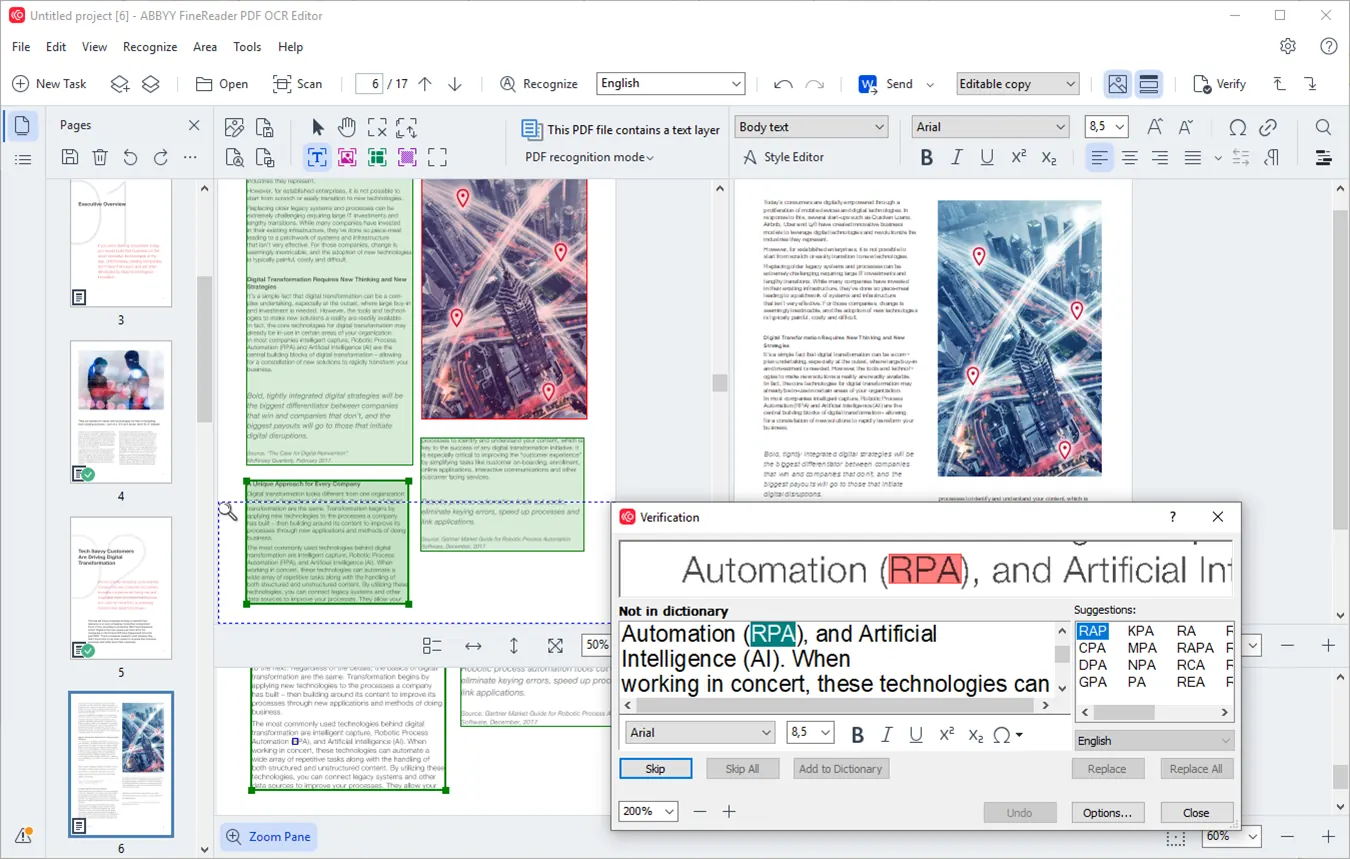
ABBYY’s OCR technology recognises text in scans and images and delivers it as Microsoft Word, Excel or searchable PDF, across 198 recognition languages.
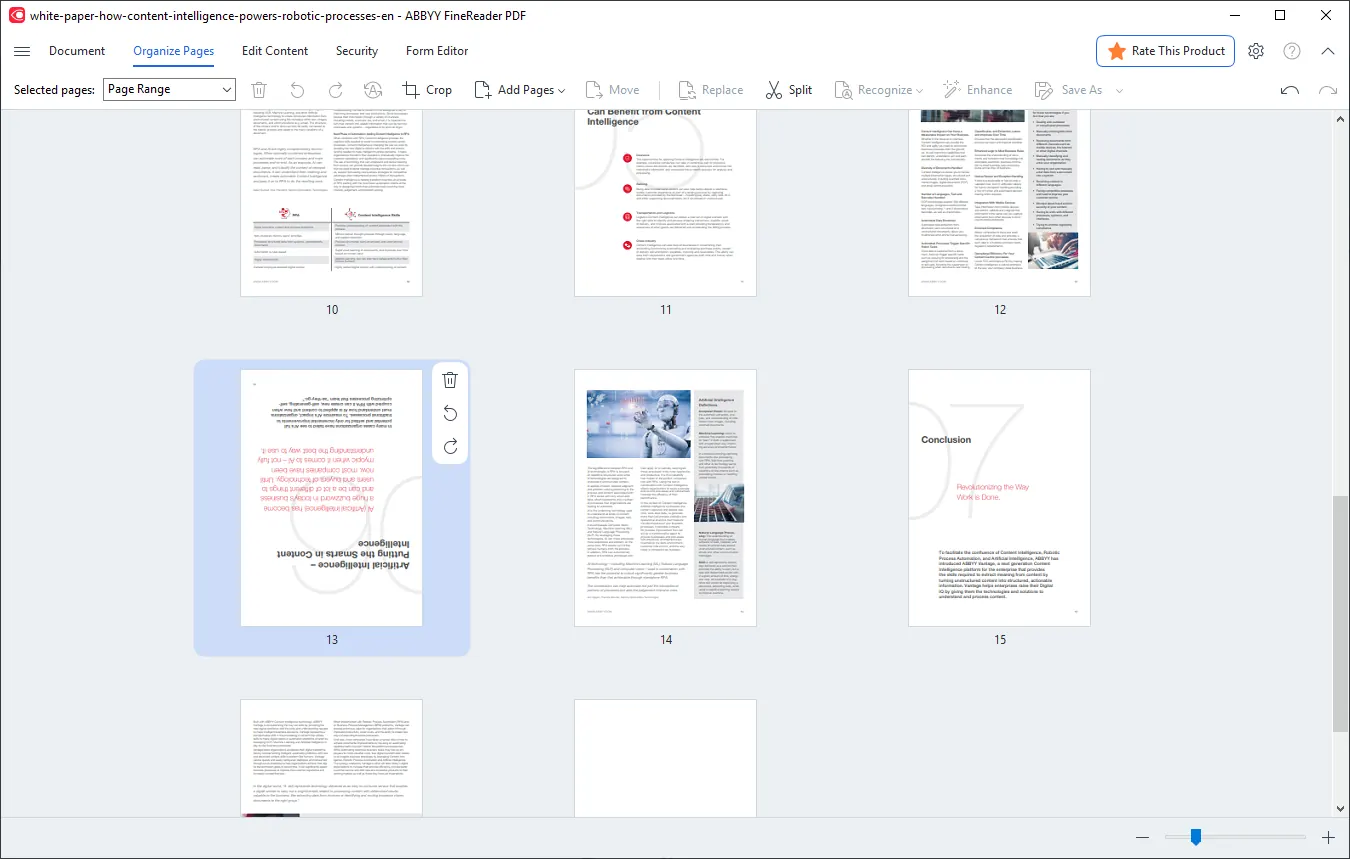
Work on text, images and layout directly inside the PDF. Add, remove, reorder or merge pages without leaving the application.
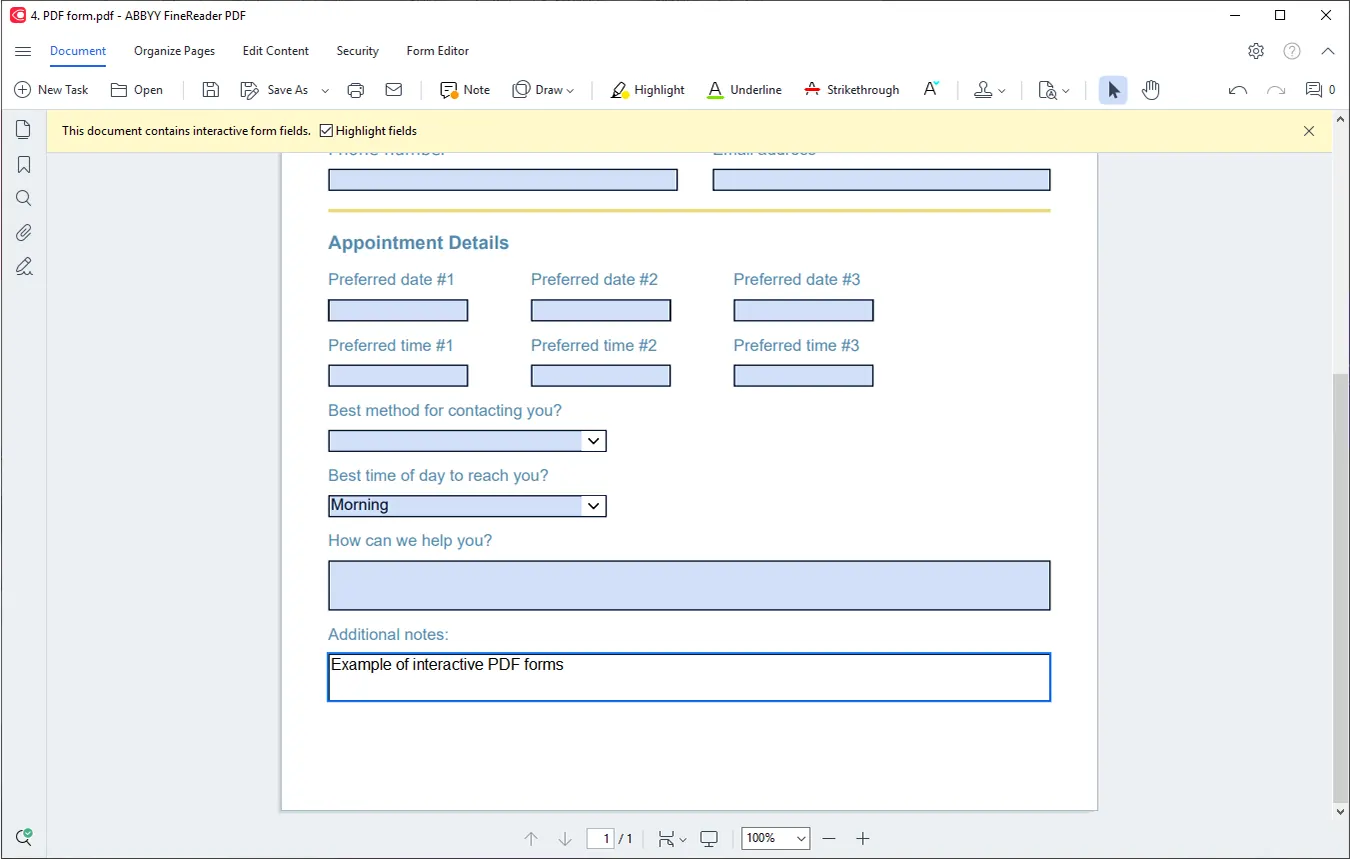
Build PDF forms with fields that are completed on screen, and gather responses without printing a single page.
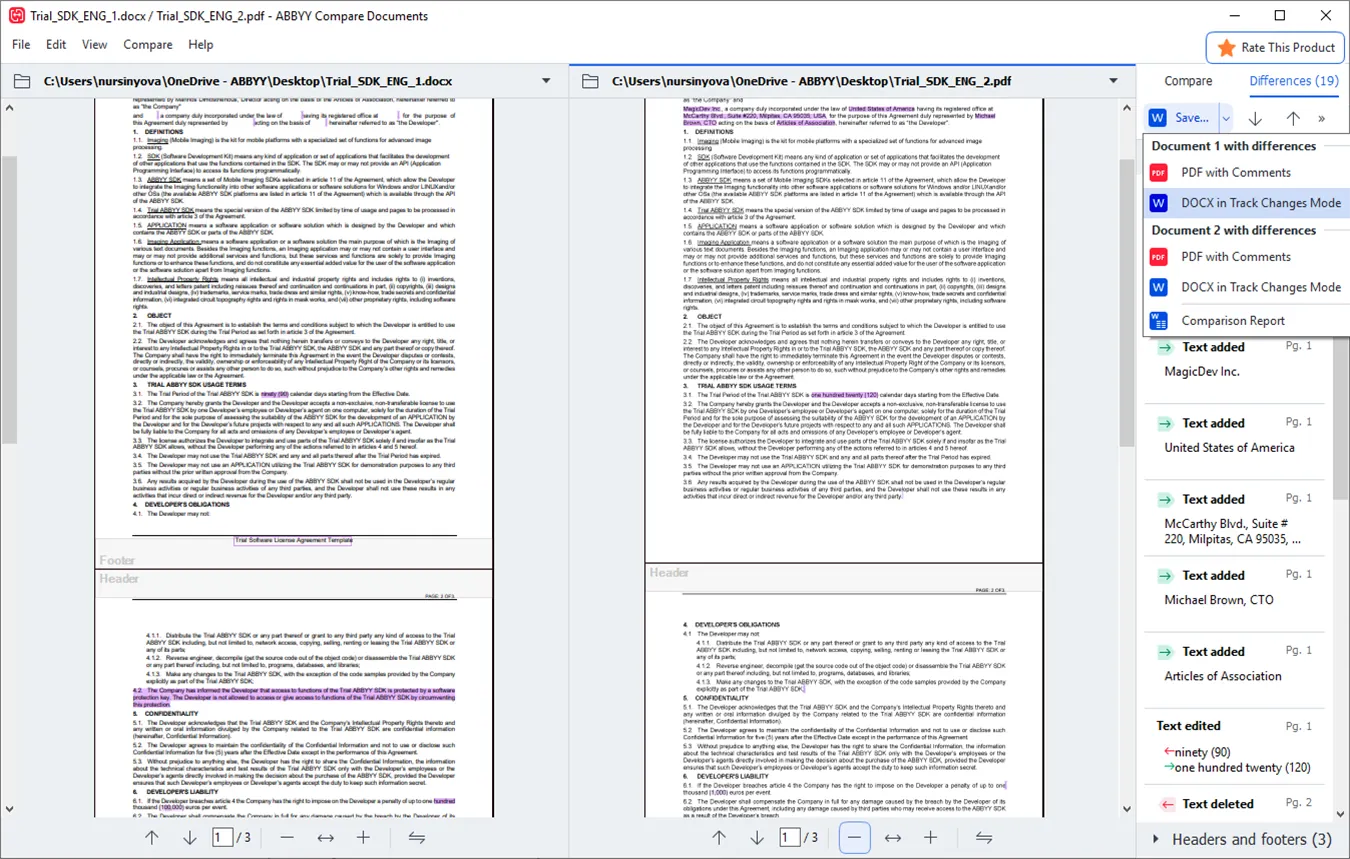
Spot the differences between two versions of the same document, even when one is a PDF and the other a Word file or a scan.
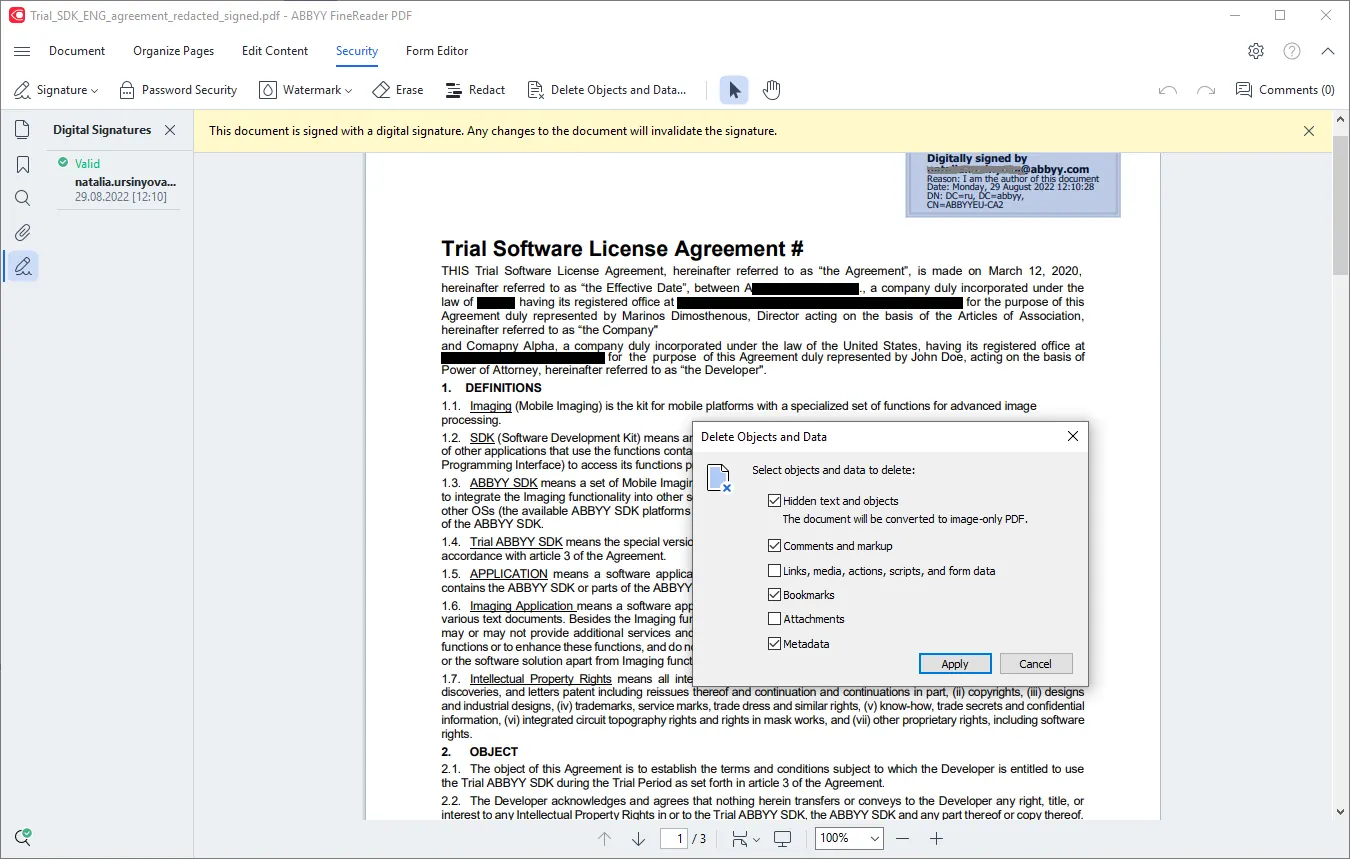
Permanently remove sensitive details, restrict access with a password, and sign your documents digitally.
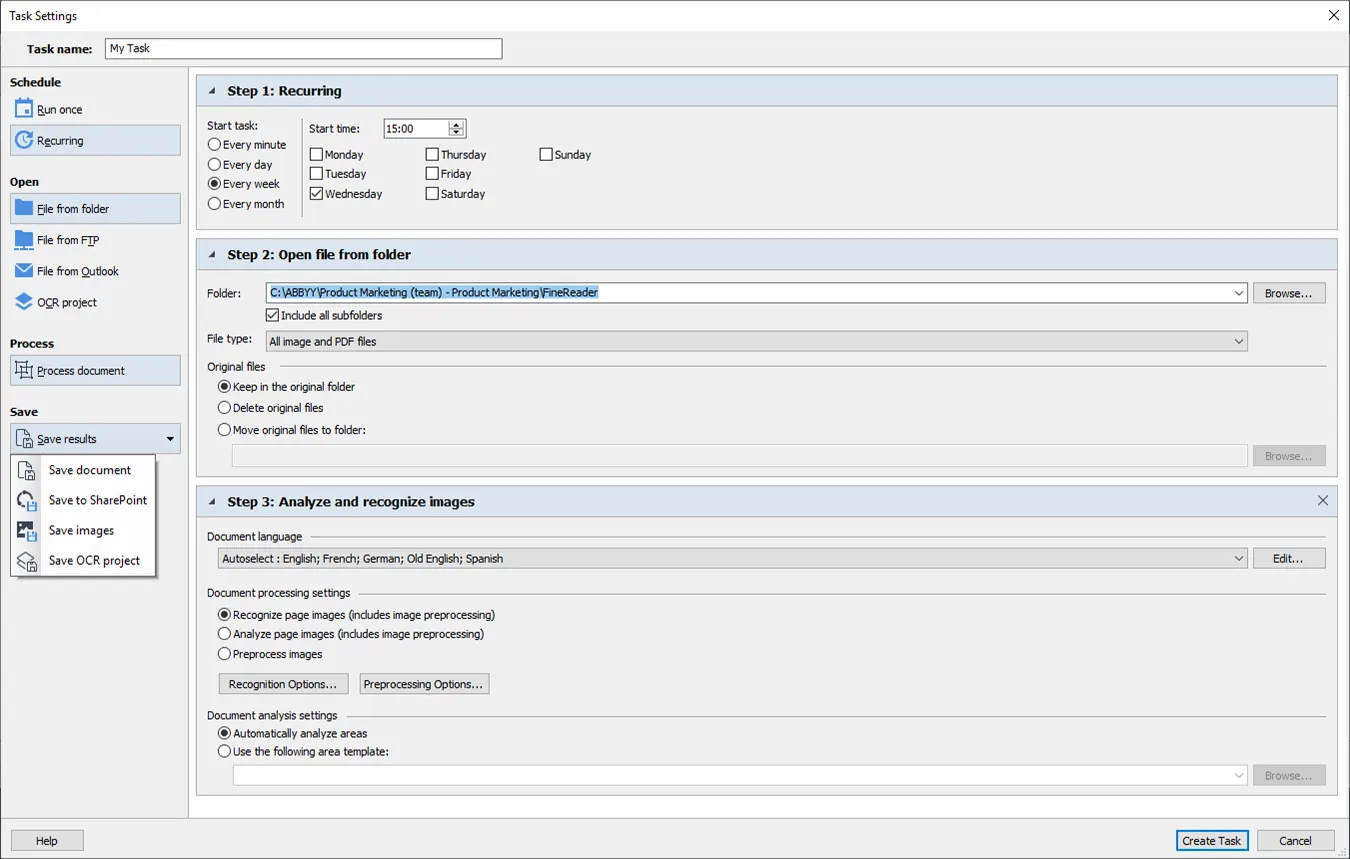
Set up recurring conversion and digitisation tasks once, and let Hot Folder run them on its own.
By sector
Where it fits
The same capabilities, tuned to what each sector needs.
Compare contract versions, redact personal data before sharing, and keep the case file searchable.
Digitise notes, books and paper archives into searchable files that are ready to distribute.
Convert paper archives to PDF/A for long-term preservation without losing searchability.
User experiences
What people who use it say
Millions of customers worldwide rely on ABBYY FineReader PDF for their everyday document work.
Recognition from software review platforms






The 7 best features of FineReader PDF
A short guide from ABBYY to the features that make the biggest difference to everyday document work. No sign-up. It opens straight away.
Choose your path
For organisations or for individuals?
Standardise PDF work across the company, with licensing options that scale to the size of your team.
For anyone who works with PDFs and scans every day and wants one tool that covers all of it.
Ready to get your PDFs in order?
Tell us how many licences you need and which edition you want, Standard or Corporate, and we will send you an offer.