
Robust features for the digital workplace
Handle every document task inside one application. Fewer programs, lower cost, and an end to doing the same work twice.
In detail
Eight feature categories
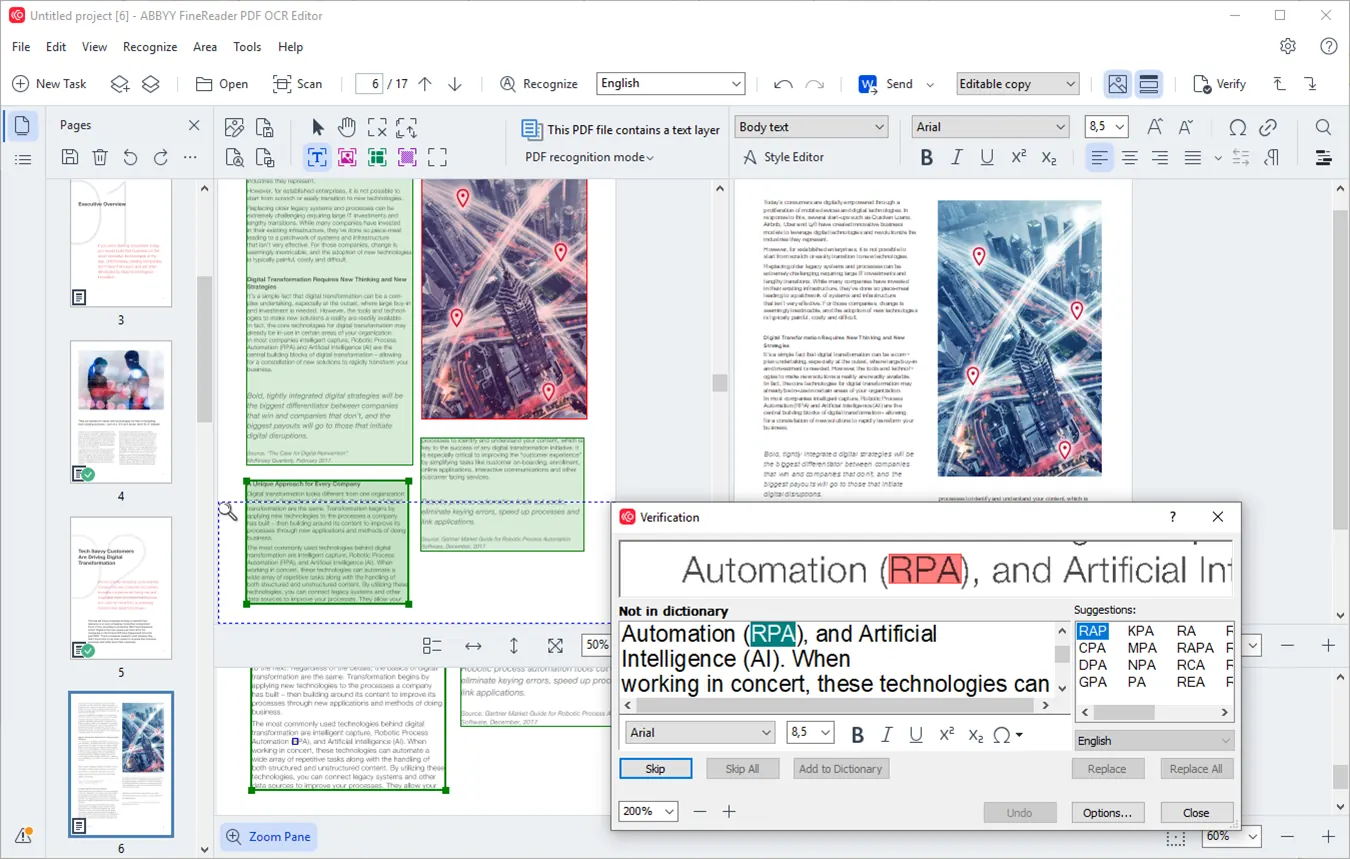
Turn paper and scans into digital files with OCR
Turn paper and scans into files you can file away, find again in seconds, or open and edit on the spot. The recognition underneath is ABBYY’s AI-based OCR.
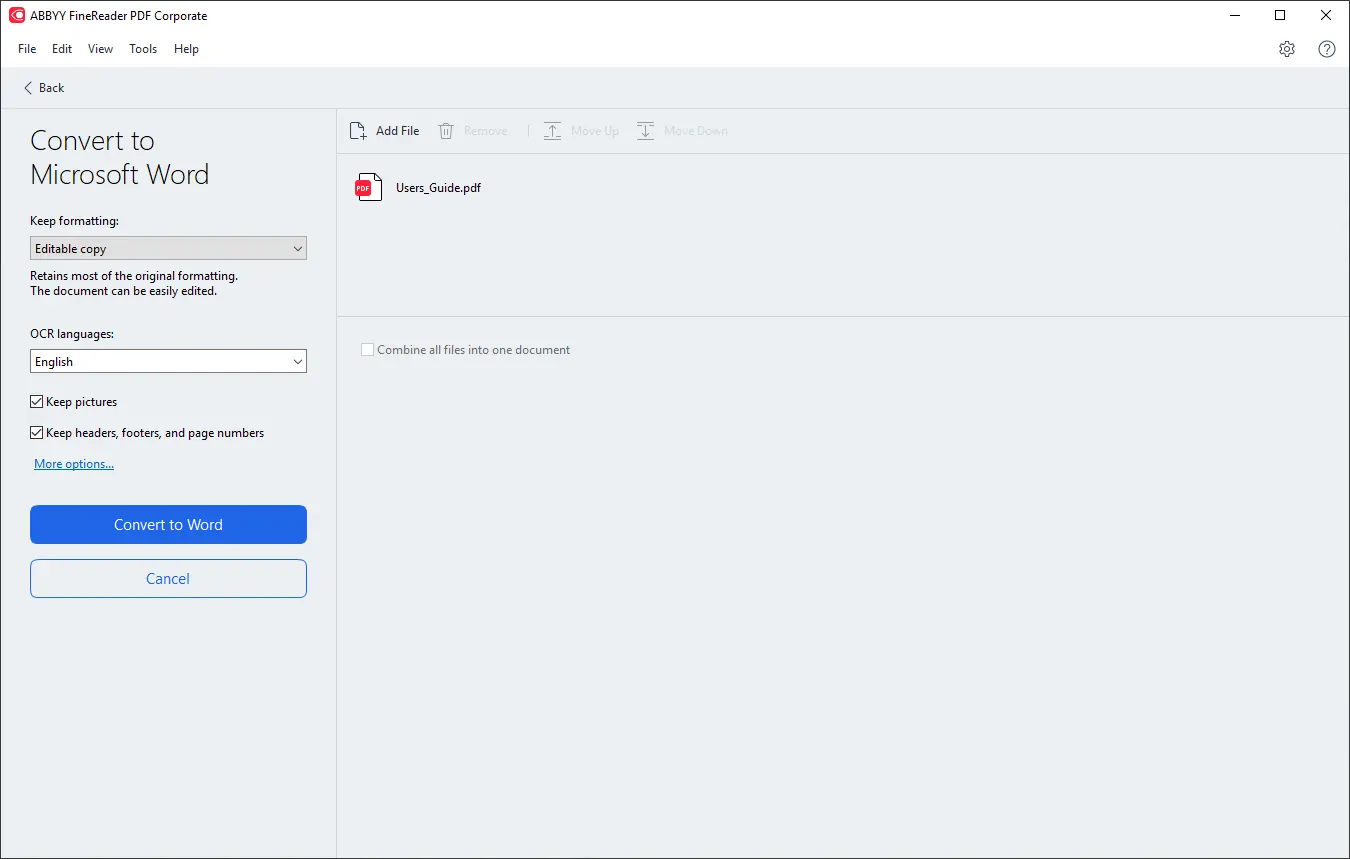
Create and convert PDFs
Put all your documentation on one format. Paper and assorted file types become searchable PDFs that meet the ISO specification, and any PDF converts back out to Microsoft Word, Excel or one of more than 15 other formats whenever you need to edit or reuse it.
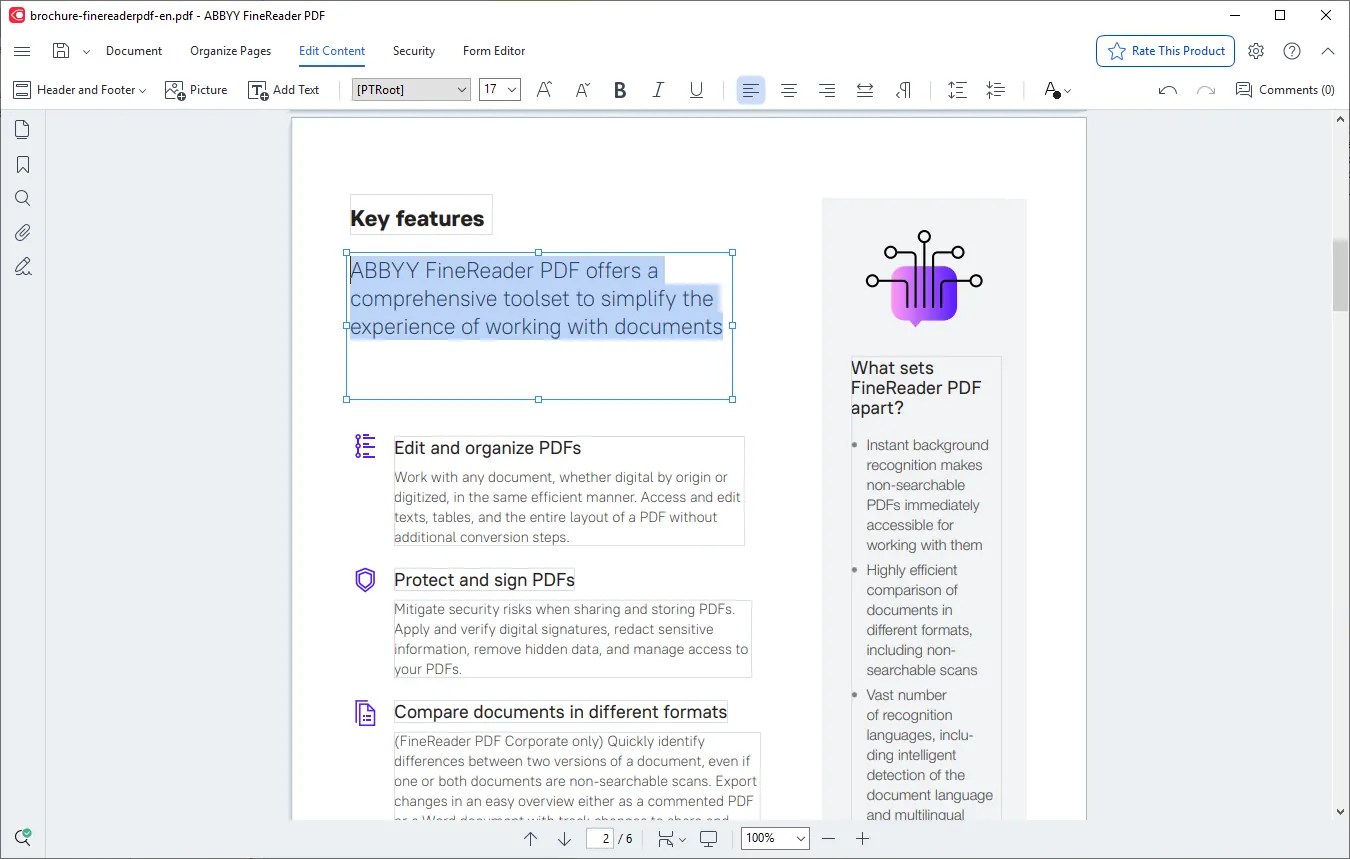
Edit and organise PDFs
At the core of FineReader PDF is ABBYY’s latest AI-based OCR technology. Digitize, retrieve, edit, protect and share documents of every kind in one workflow, and spend less time on administrative work.
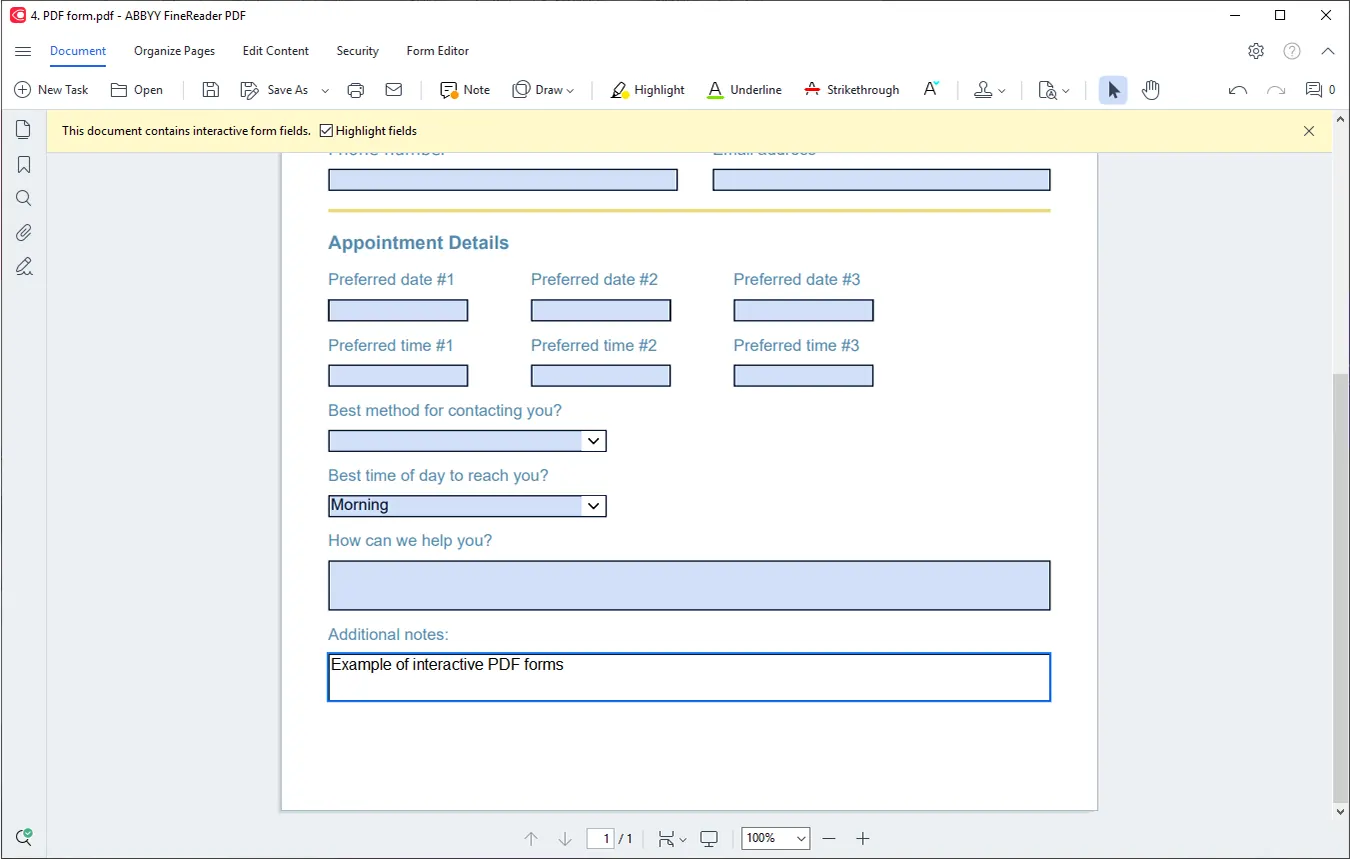
Create fillable PDF forms
Build interactive PDF forms so answers come back in a consistent shape. Assemble the fields you need, attach actions to them, revise a form you already have, or add form elements to an ordinary PDF.
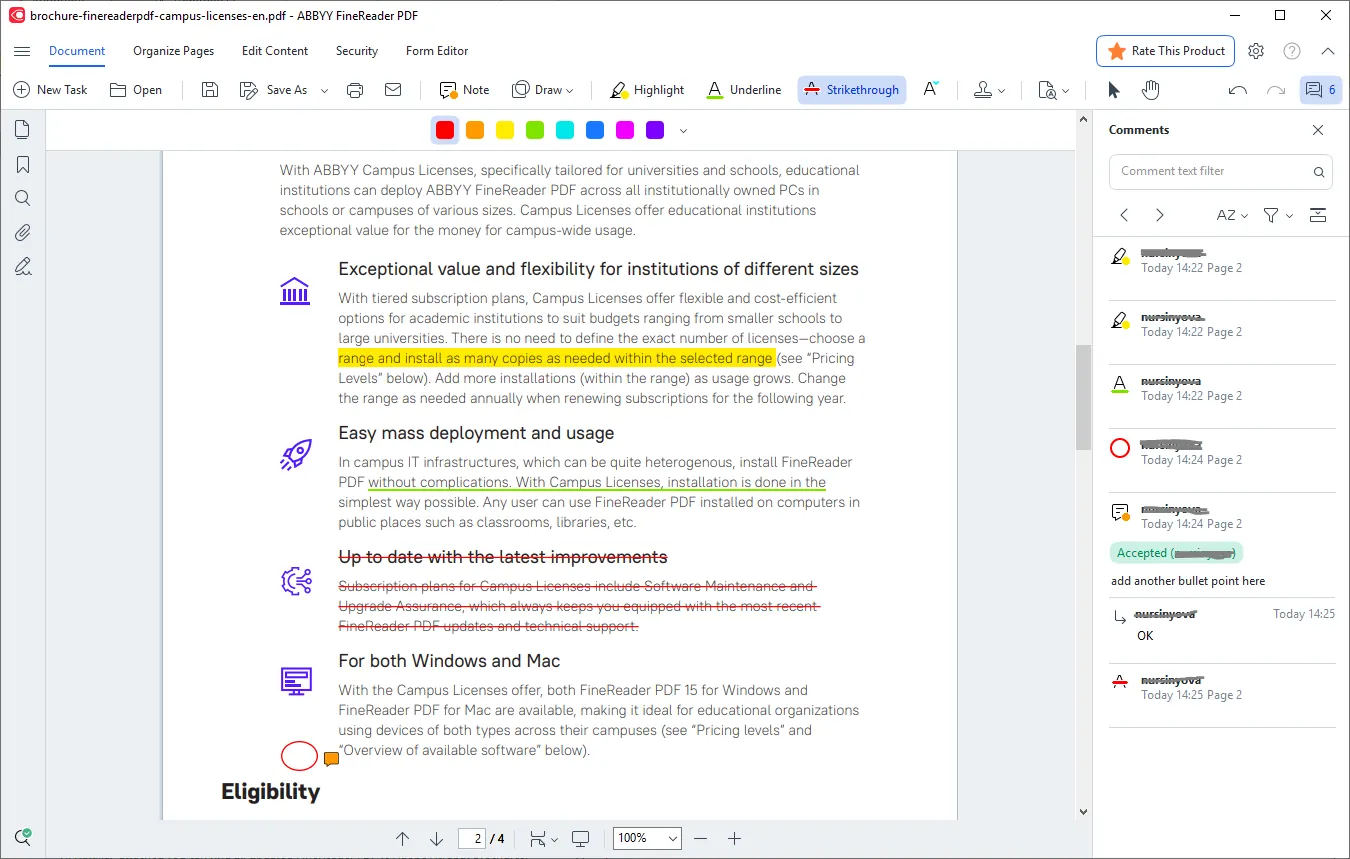
Collaborate on and approve PDFs
Put a draft in front of the team, gather what they think, and get it signed off. The whole discussion happens in the file itself: highlight a passage, leave a comment, draw on the page.
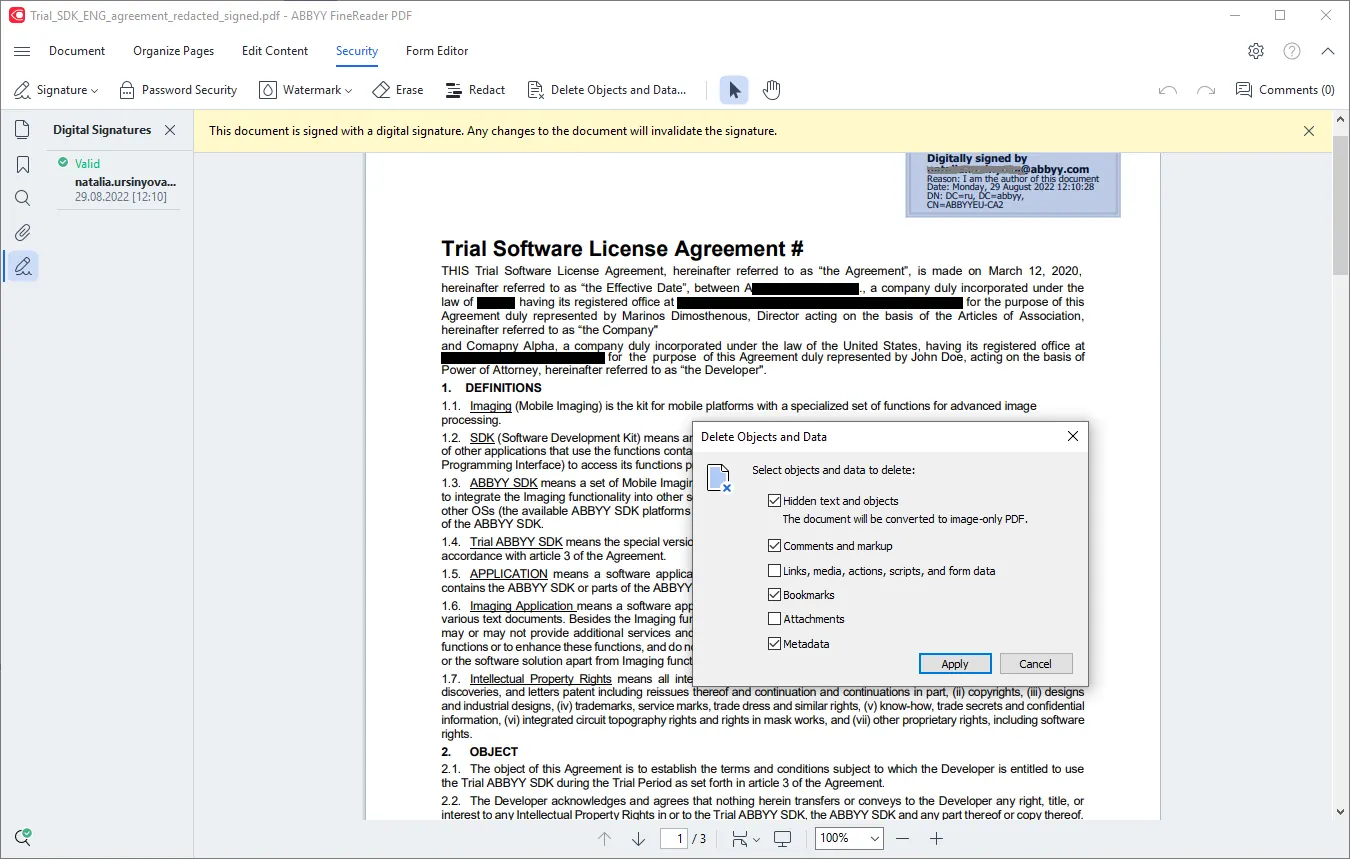
Protect and sign PDFs
Reduce what you expose when a PDF is shared or stored. Sign a document and check the signatures on one you receive, black out sensitive passages for good, strip the data hiding behind the page, and decide who may open the file at all.
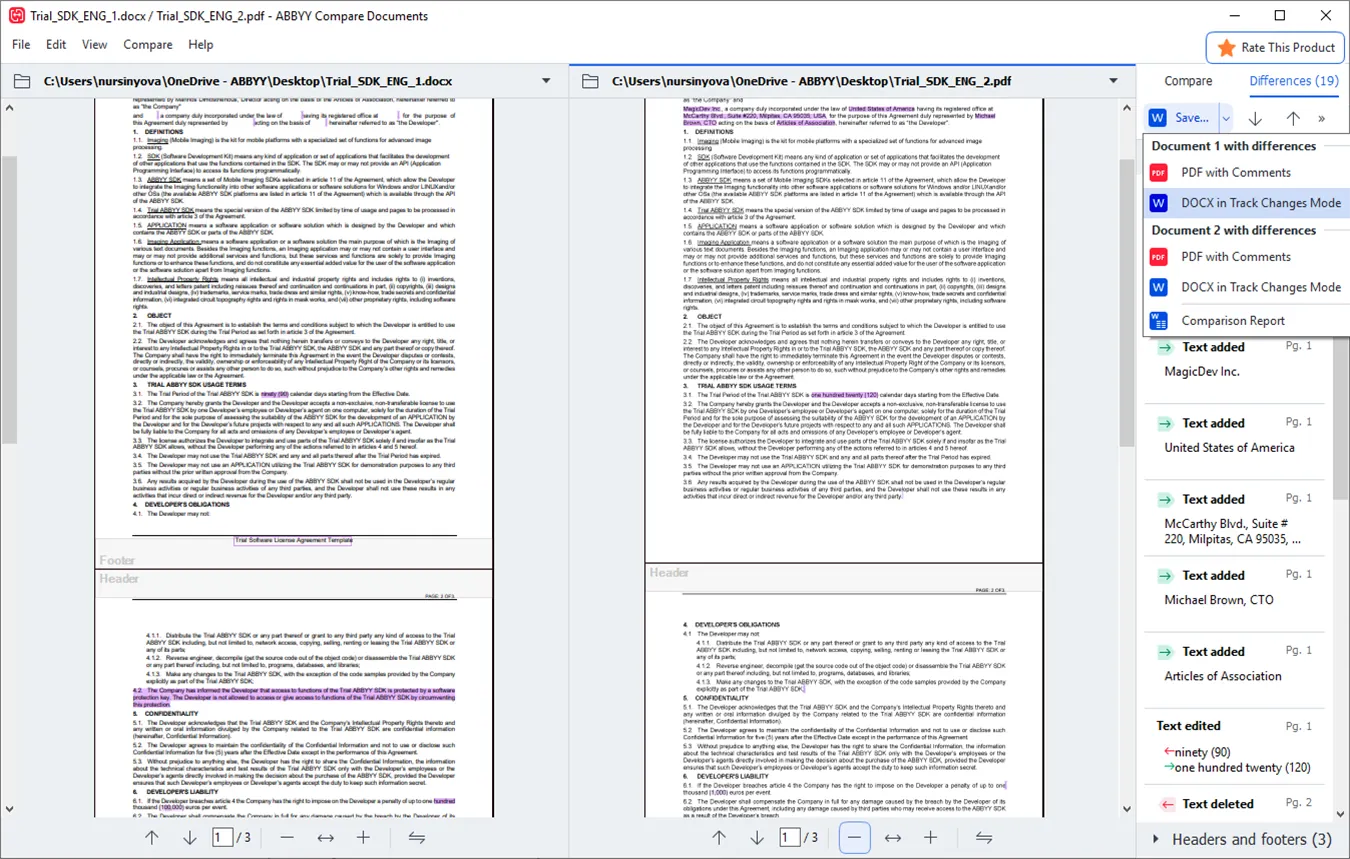
Cross-format document comparison
CorporateQuickly and reliably identify the differences between two versions of a document, even across different formats or in scans. See whether unauthorised changes were made, whether agreed edits were implemented, or whether the document changed at all.
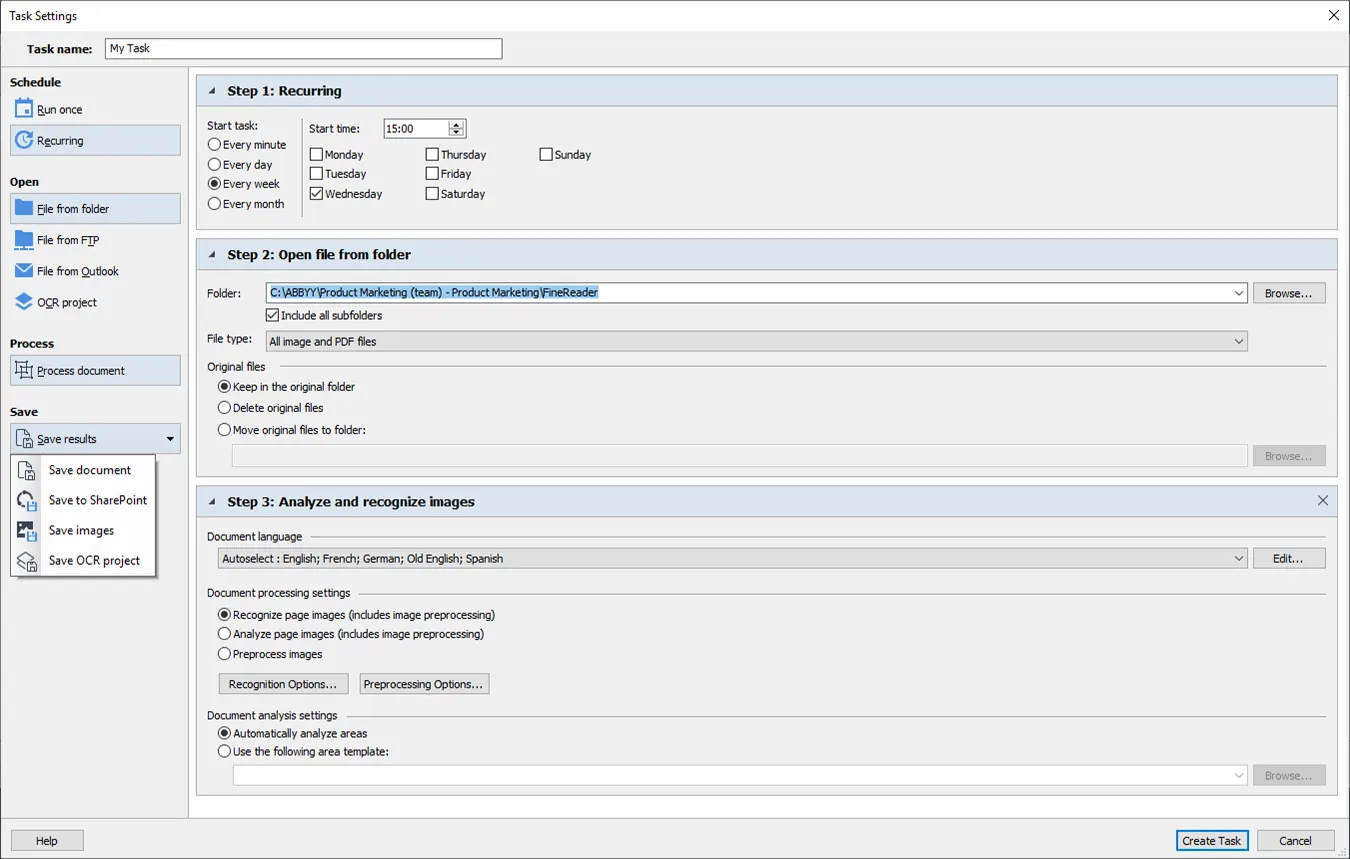
Optimise digitization and conversion routines
CorporateSet a recurring conversion going once and leave it running: mixed document types in, and PDF, Microsoft Word, Excel or one of fifteen-plus other formats out. You say what happens to which folder, and it keeps happening without you.
Automated processing with Hot Folder is limited to 5,000 pages a month and 2 cores. The limit resets every 30 days.
Working on a Mac?
FineReader PDF for Mac has its own feature list, tuned to macOS.
Which edition suits you?
Tell us what you need. If document comparison or automation matters to you, that is the Corporate edition. We will send you an offer.