
ABBYY FineReader PDF for Mac®
Accurate conversion of PDFs, document images and scans, on macOS.
Requires macOS® 12 or later.
At a glance
What FineReader PDF for Mac is
FineReader PDF for Mac is a document conversion tool: it takes scans, document images and PDFs and turns them into formats you can edit and search, using ABBYY’s OCR technology across 198 recognition languages.
It is built for macOS, with what that implies: scanning straight from an iPhone or iPad via Continuity Camera, a built-in image editor, and Dark Mode support. It is not the same application as the Windows edition, though. The comparison below shows exactly where they differ.
Opens on YouTube in a new tab. The video is in English.
Features
What it does on a Mac
Nine capabilities, in three groups.
Recognition and conversion
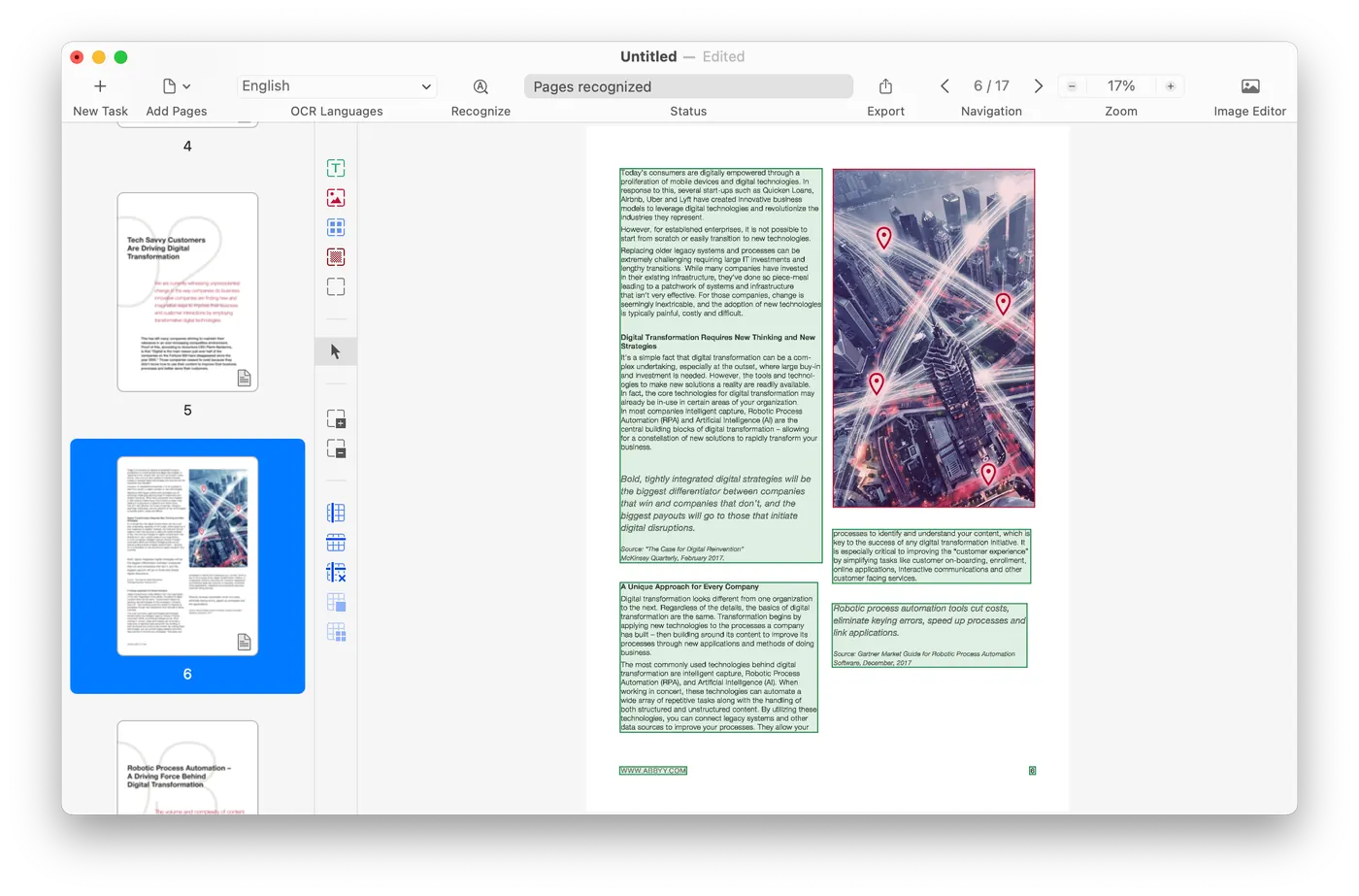
Accurate text recognition that preserves the layout
Text is recognised accurately and the original page layout is kept in the result.
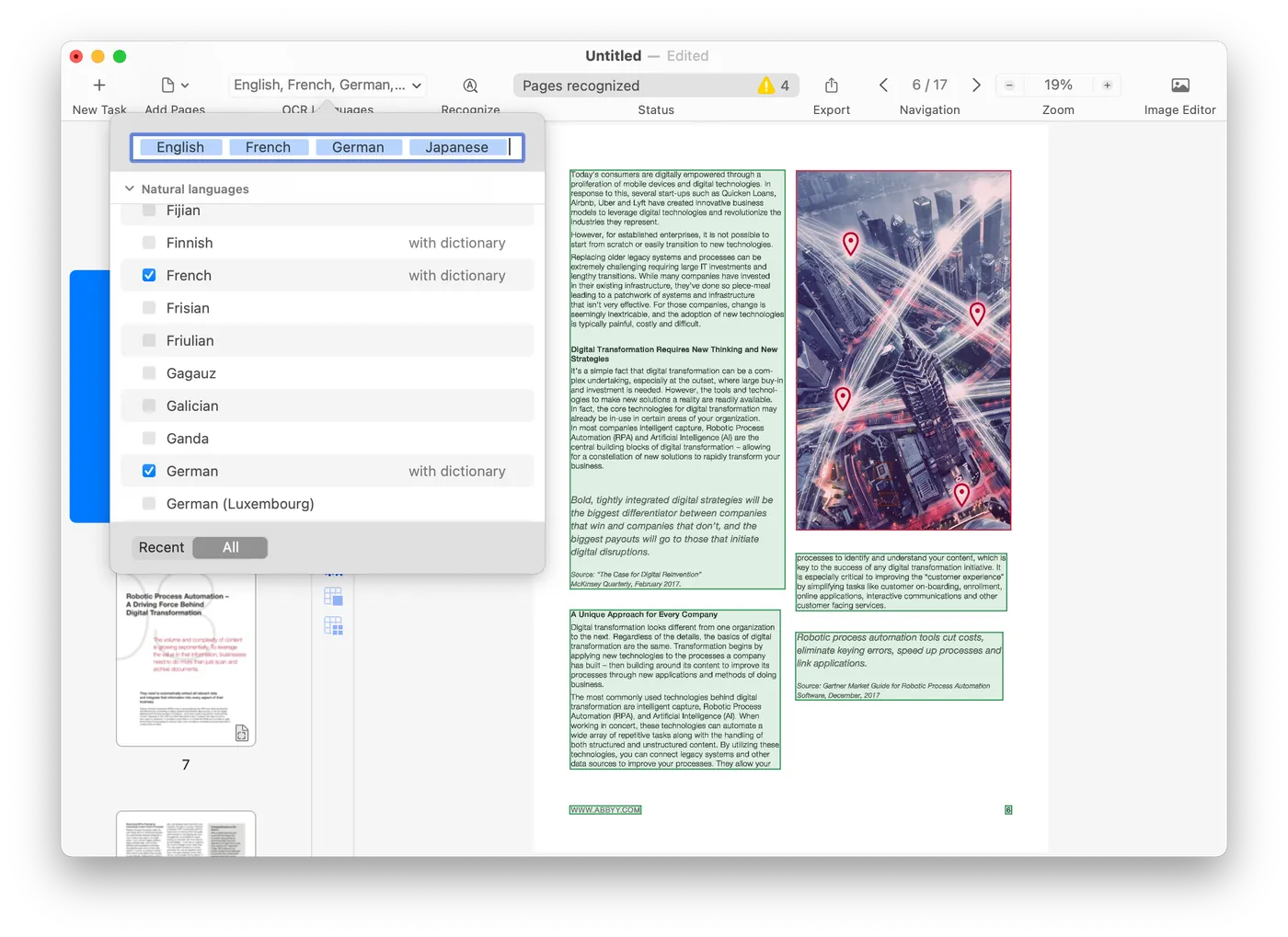
Recognition in 198 languages
OCR covers 198 recognition languages, including combinations of languages within one document.
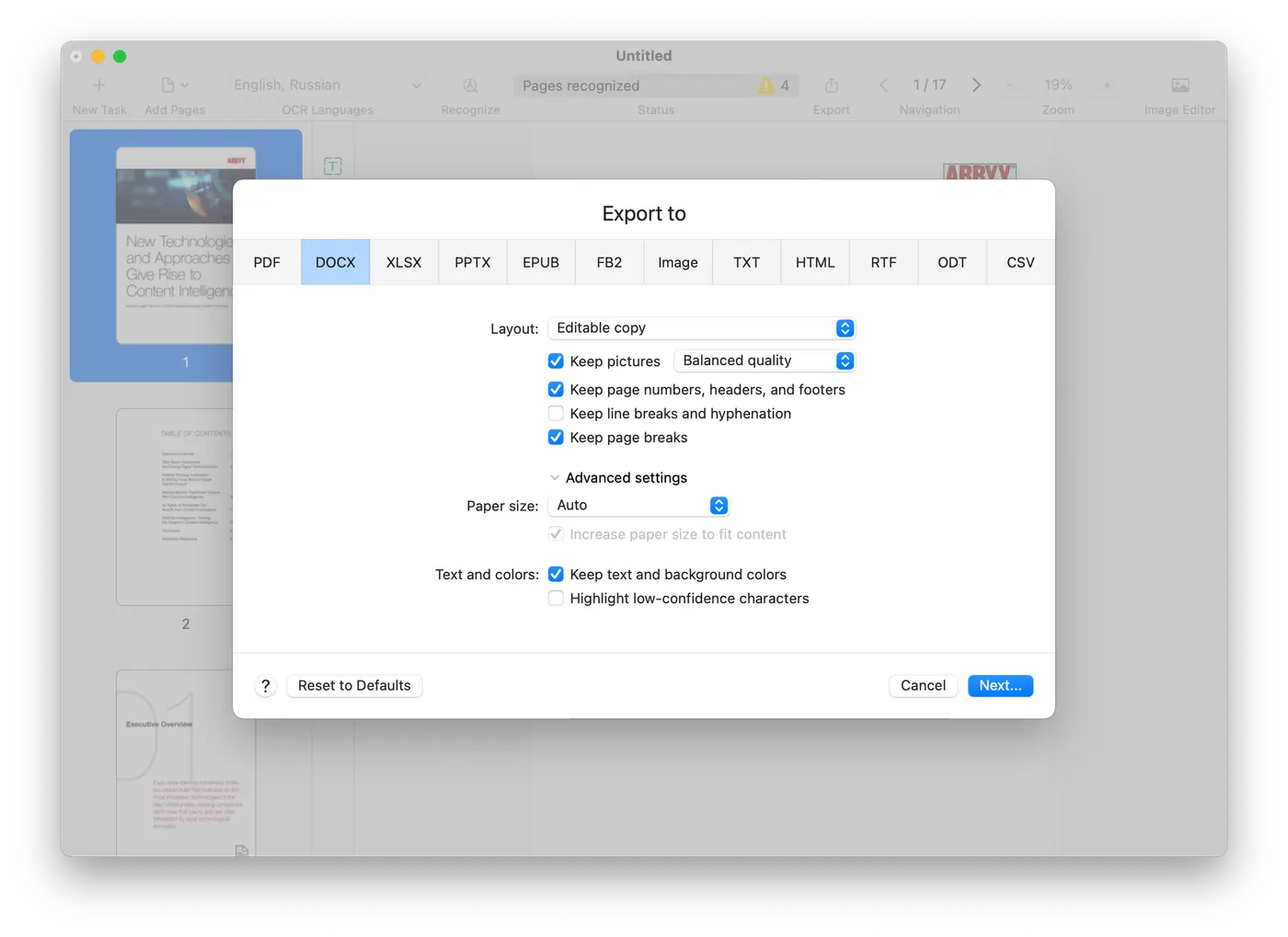
Convert into a wide variety of formats
Deliver the result as Microsoft Word, Excel, searchable PDF and other formats.
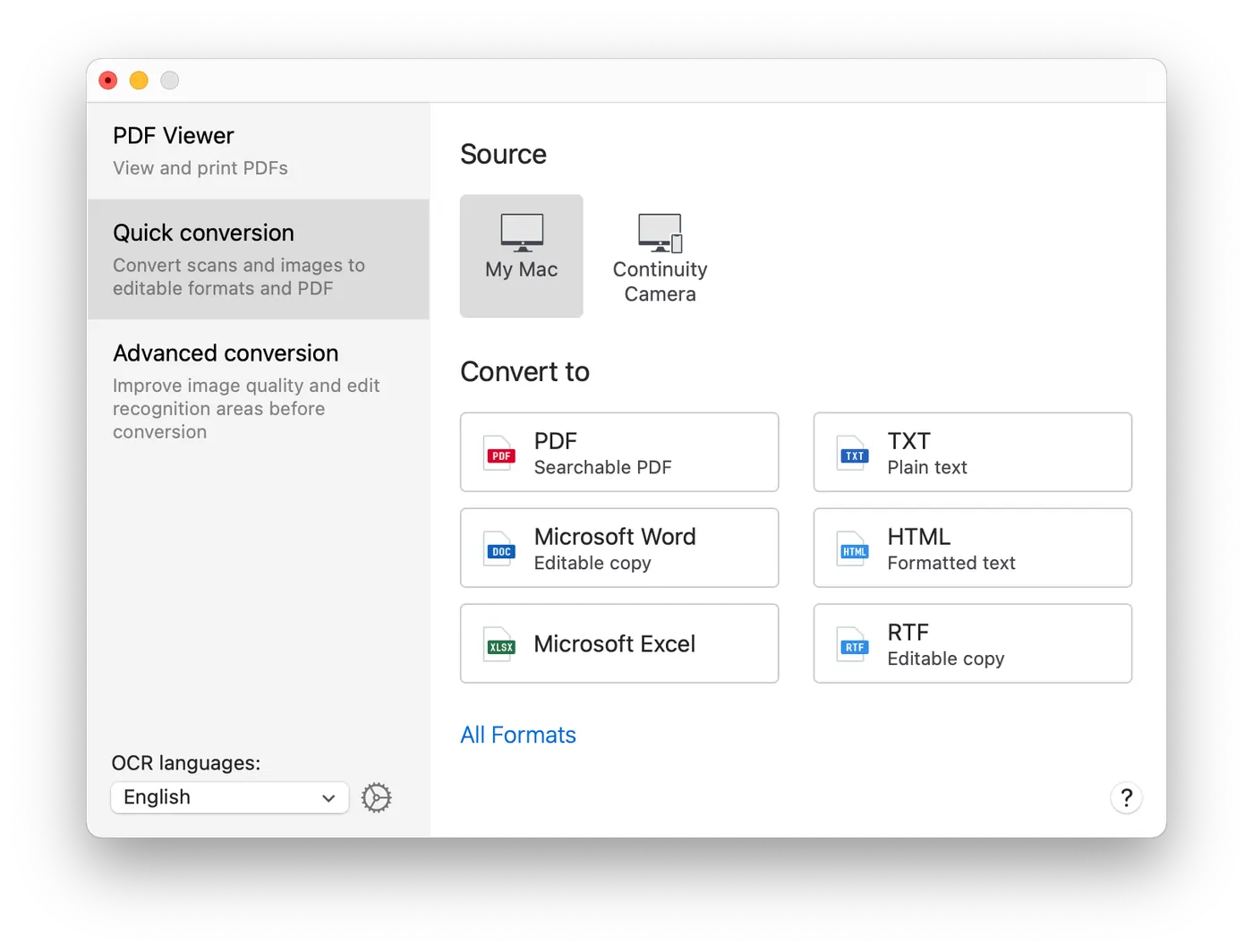
Turn PDFs into editable, searchable files
Convert a PDF into a file you can genuinely edit and search.
Working with PDFs
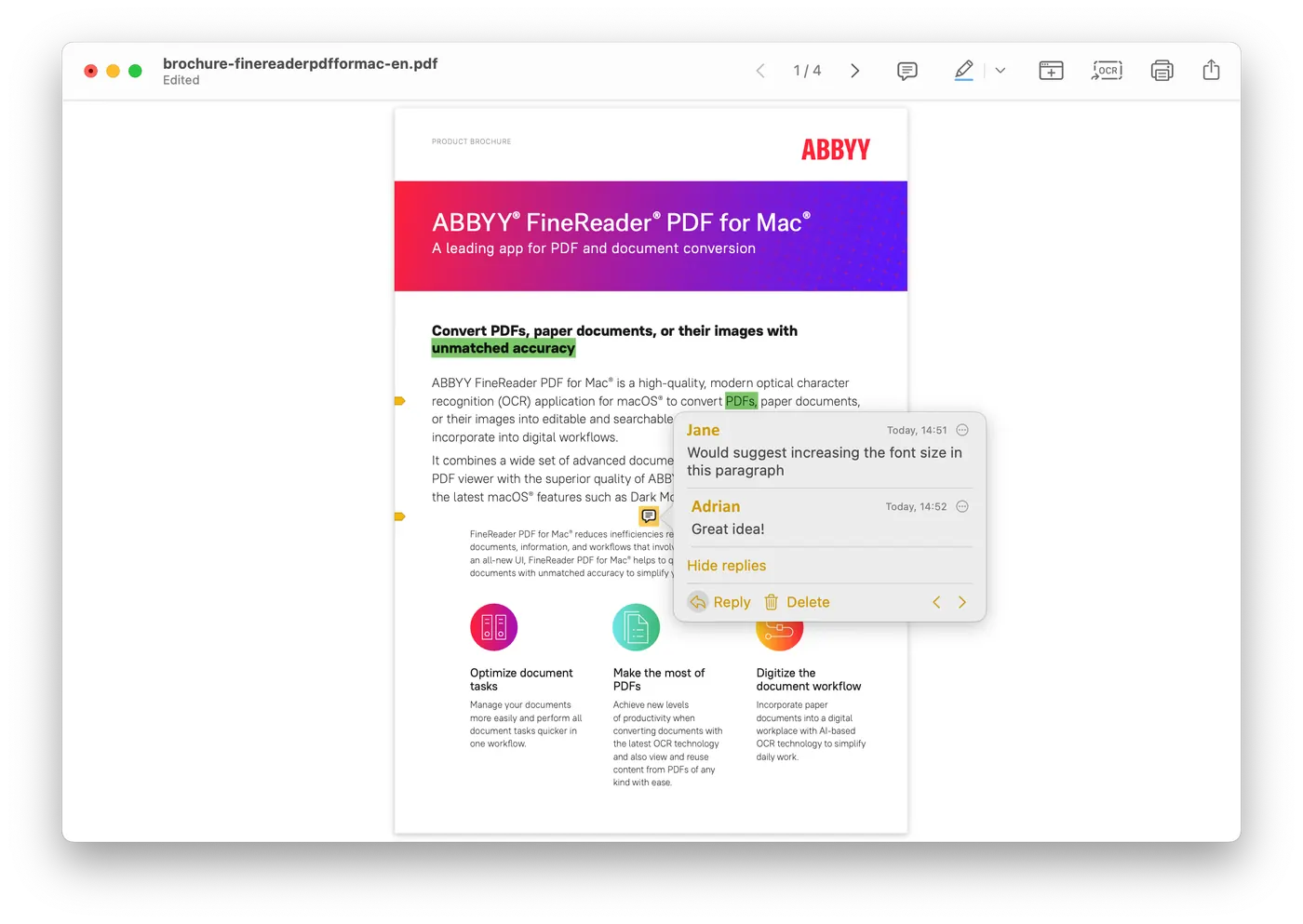
View and annotate PDFs
View and reuse the content of a PDF, highlight text, and make or reply to comments in the built-in viewer.
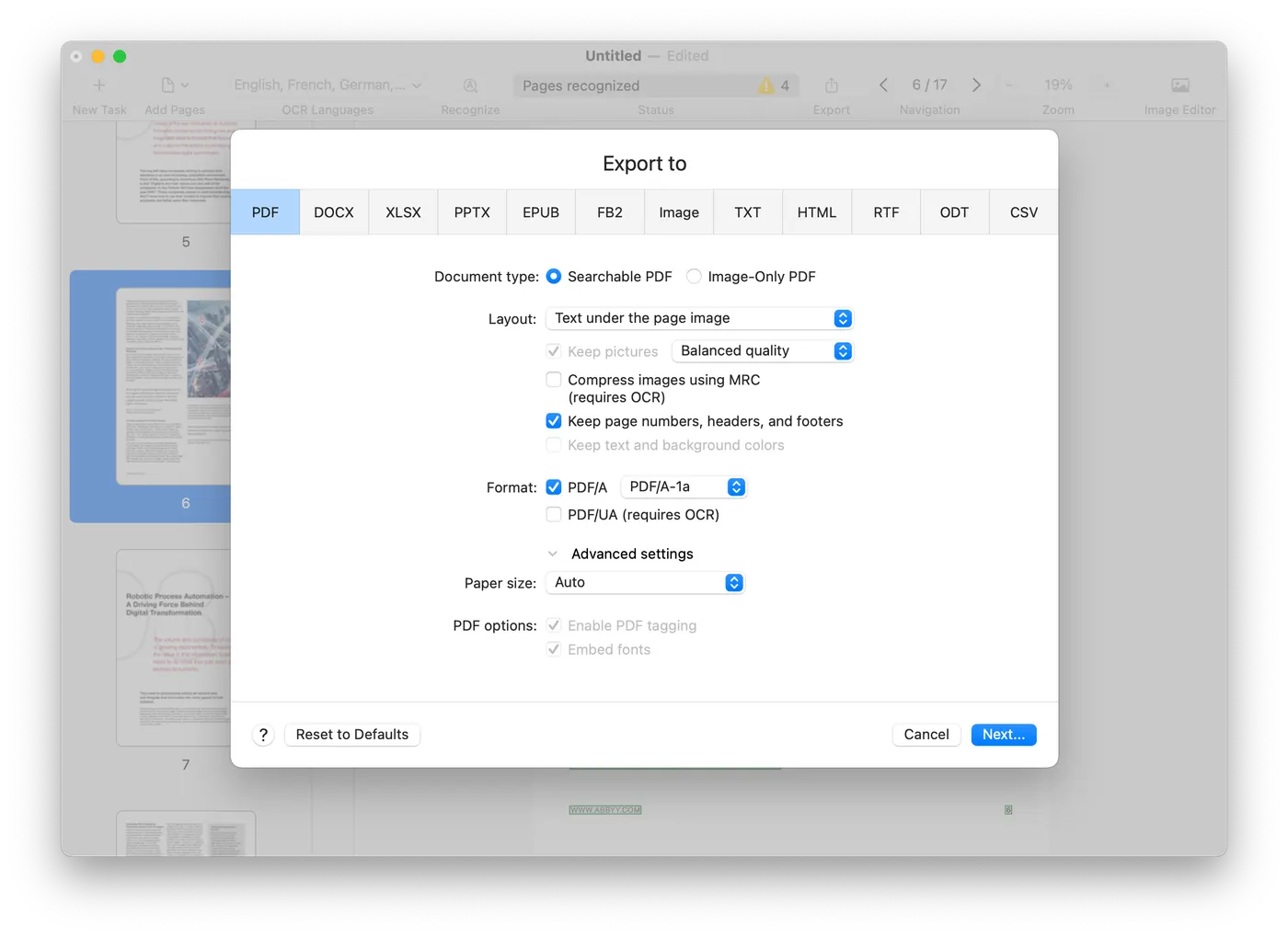
Output to PDF/A and PDF/UA
Produce files in the PDF/A standard for long-term archiving and PDF/UA for accessibility.
Images and the Mac experience
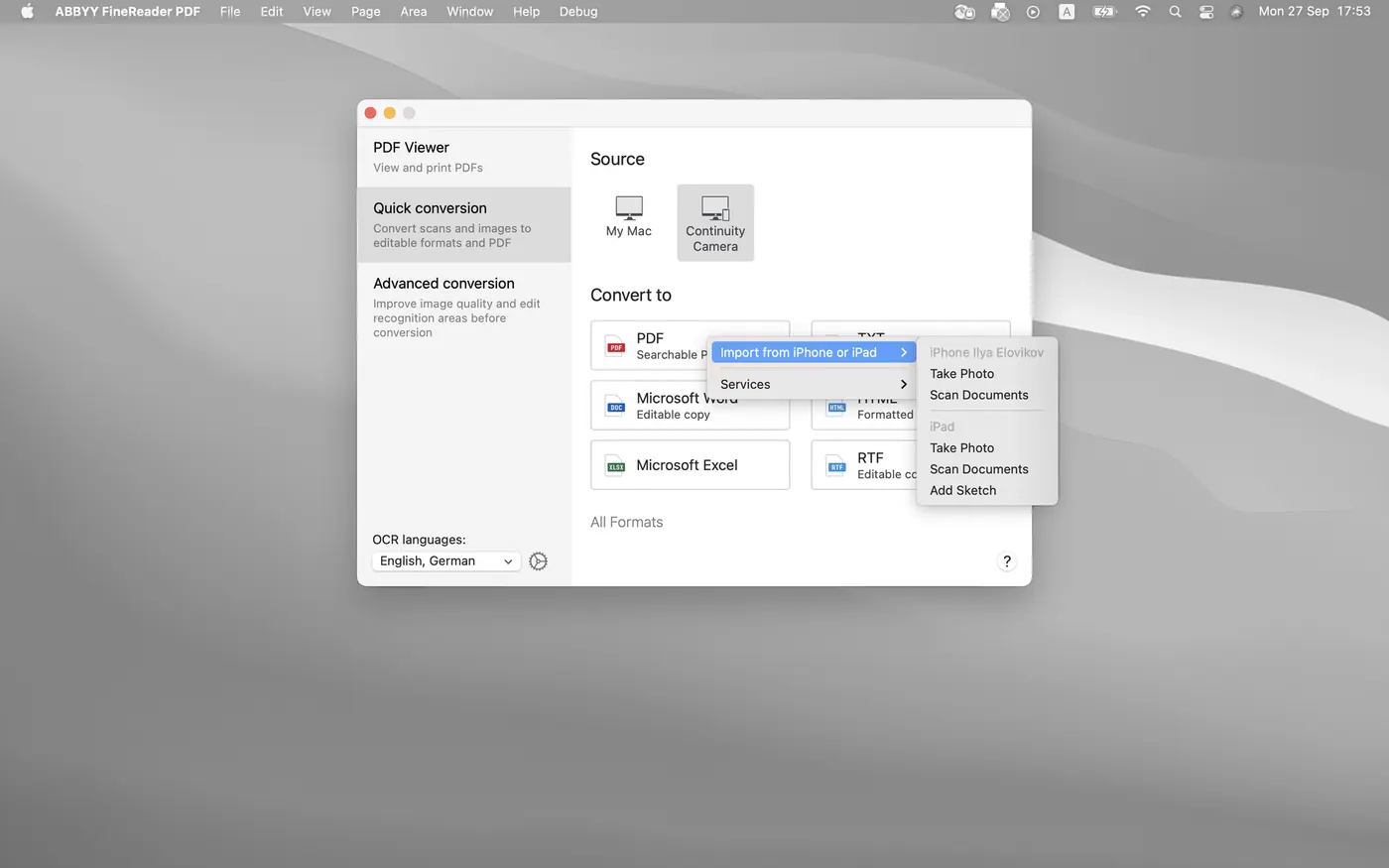
Capture with iPhone or iPad
Photograph or scan a document with your iPhone or iPad via Continuity Camera and carry on working on the Mac.
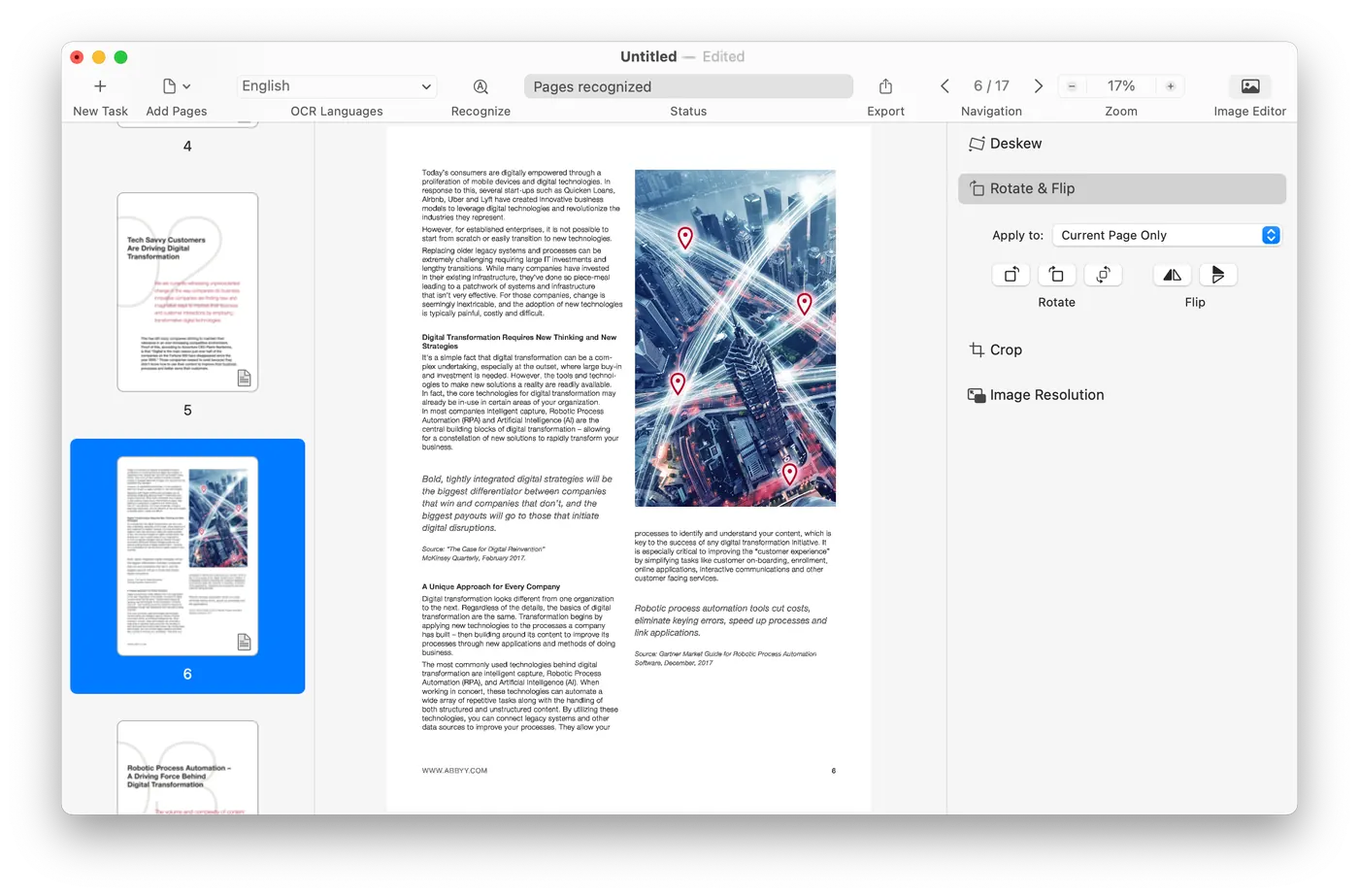
Enhance photos and scans
Correct the quality of a scan or a photographed document before recognition.
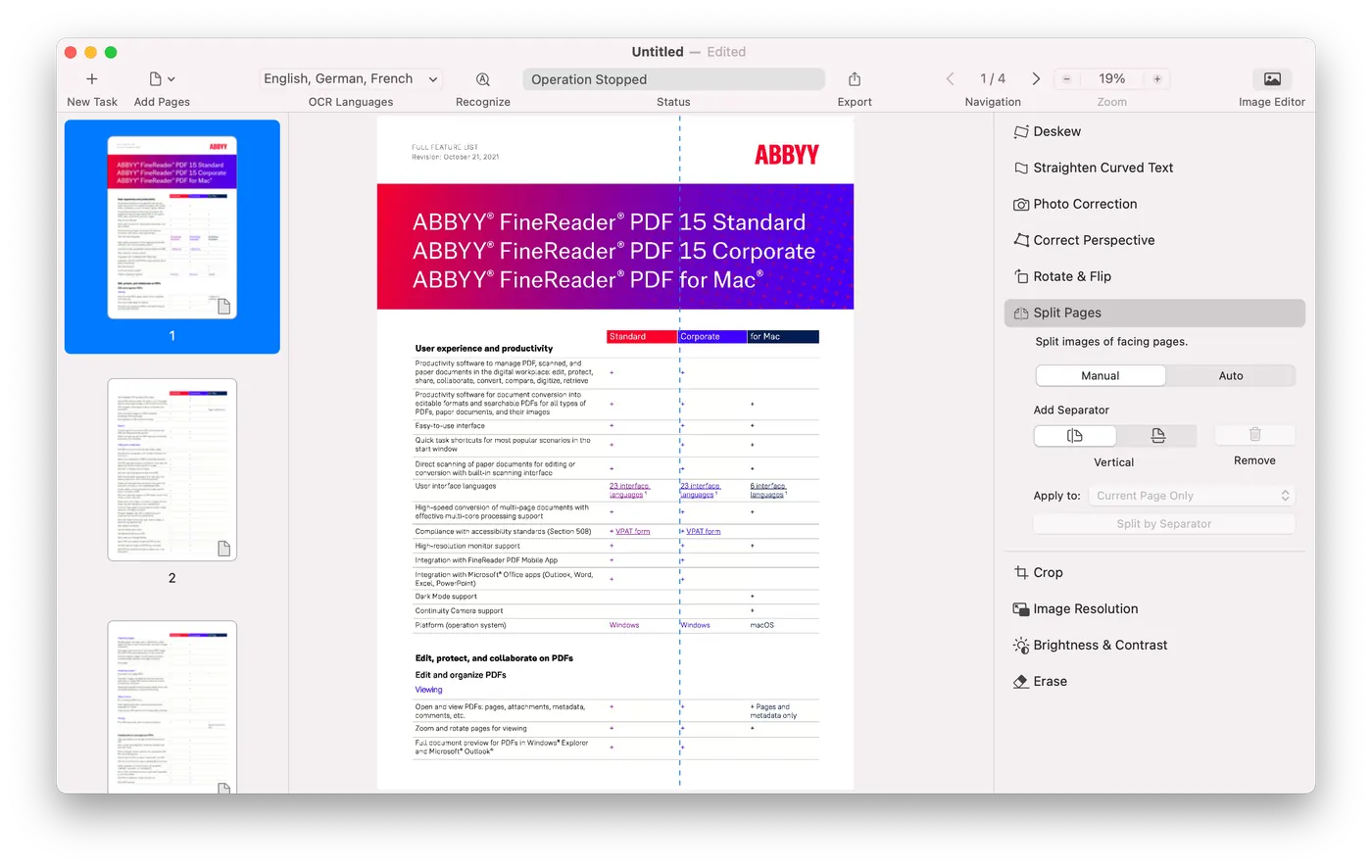
Built-in image editor
Deskew, correct perspective, rotate, crop, adjust brightness and contrast, split pages, all inside the application.
Benefits
What you get
Faster document tasks
Manage your documents more easily and get everyday tasks done quicker in digital workflows.
More out of your PDFs
Convert documents with current OCR technology and reuse the content of PDFs of any kind.
A digitized document workflow
One solution for every OCR task, from quick conversions to more complex cases with advanced settings.
Windows or Mac?
How the two editions differ
The Mac edition is not the same application as the Windows one. The table below shows where they differ, so you know what you are asking for before you contact us.
For Windows
The full edition, in Standard and Corporate.
Requires Windows 11 or 10
- Available: OCR text recognition in 198 languages
- Available: Convert to Word, Excel and other formats
- Available: View and annotate PDFs
- Available: Output to PDF/A and PDF/UA
- Available: Create PDFs
- Available: Protect PDFs
- Available: Edit text inside the PDF
- Available: Create fillable PDF forms
- Available: Compare documentsCorporate edition only.
- Available: Hot Folder automationCorporate edition only.
- Available: Microsoft Office integration
- Not available: Capture from iPhone or iPad (Continuity Camera)
- Not available: Dark Mode support
- Available: Licence optionsStandalone, Per Seat, Remote User and Concurrent.
For Mac
Focused on document conversion and recognition.
Requires macOS 12 or later
- Available: OCR text recognition in 198 languages
- Available: Convert to Word, Excel and other formats
- Available: View and annotate PDFs
- Available: Output to PDF/A and PDF/UA
- Available: Create PDFsFrom scans, document images and paper only.
- Available: Protect PDFsPassword protection only, and after the PDF is created.
- Not available: Edit text inside the PDF
- Not available: Create fillable PDF forms
- Not available: Compare documents
- Not available: Hot Folder automation
- Not available: Microsoft Office integration
- Available: Capture from iPhone or iPad (Continuity Camera)
- Available: Dark Mode support
- Available: Licence optionsPer Seat only.
Amy S.A. does not currently carry a Mac package in its catalogue. This column is informational. If it interests you, ask us and we will tell you what we can do.
Ask usWhich licence types are actually available also depends on the market. Tell us what you need and we will tell you what we can supply.
Recognition from software review platforms





Interested in the Mac edition?
Tell us what you want to do and on how many machines. We will tell you what we can supply, and at what cost.