
ABBYY FineReader PDF for Windows
One workflow that takes a document from paper to searchable, then lets you edit it, lock it down, send it on and work on it together.
Requires Microsoft® Windows® 11 or 10.
At a glance
What FineReader PDF for Windows is
FineReader PDF is built for the everyday document problems of a digital workplace. It runs on ABBYY’s AI-based OCR technology, making it easier to digitize, retrieve, edit, protect and share documents of every kind, without switching applications halfway through the job.
The gain is practical: less time on administrative work, more on your actual expertise.
Opens on YouTube in a new tab. The video is in English.
Features
What you can do with it
Eleven tools, grouped by the kind of work you are doing.
Editing and organising
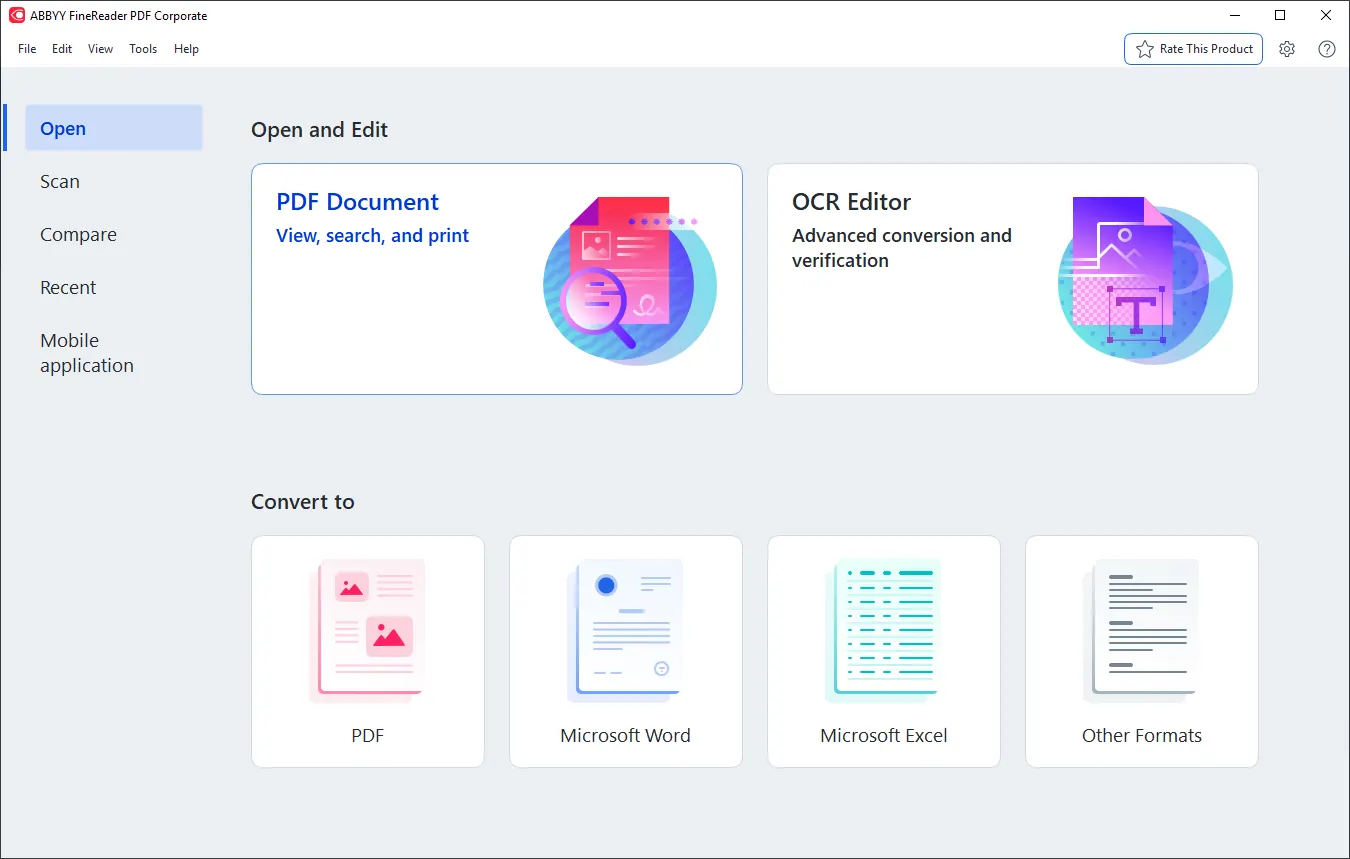
View and edit PDFs
Open, read and work on your PDFs from a single window, with no second application for each task.
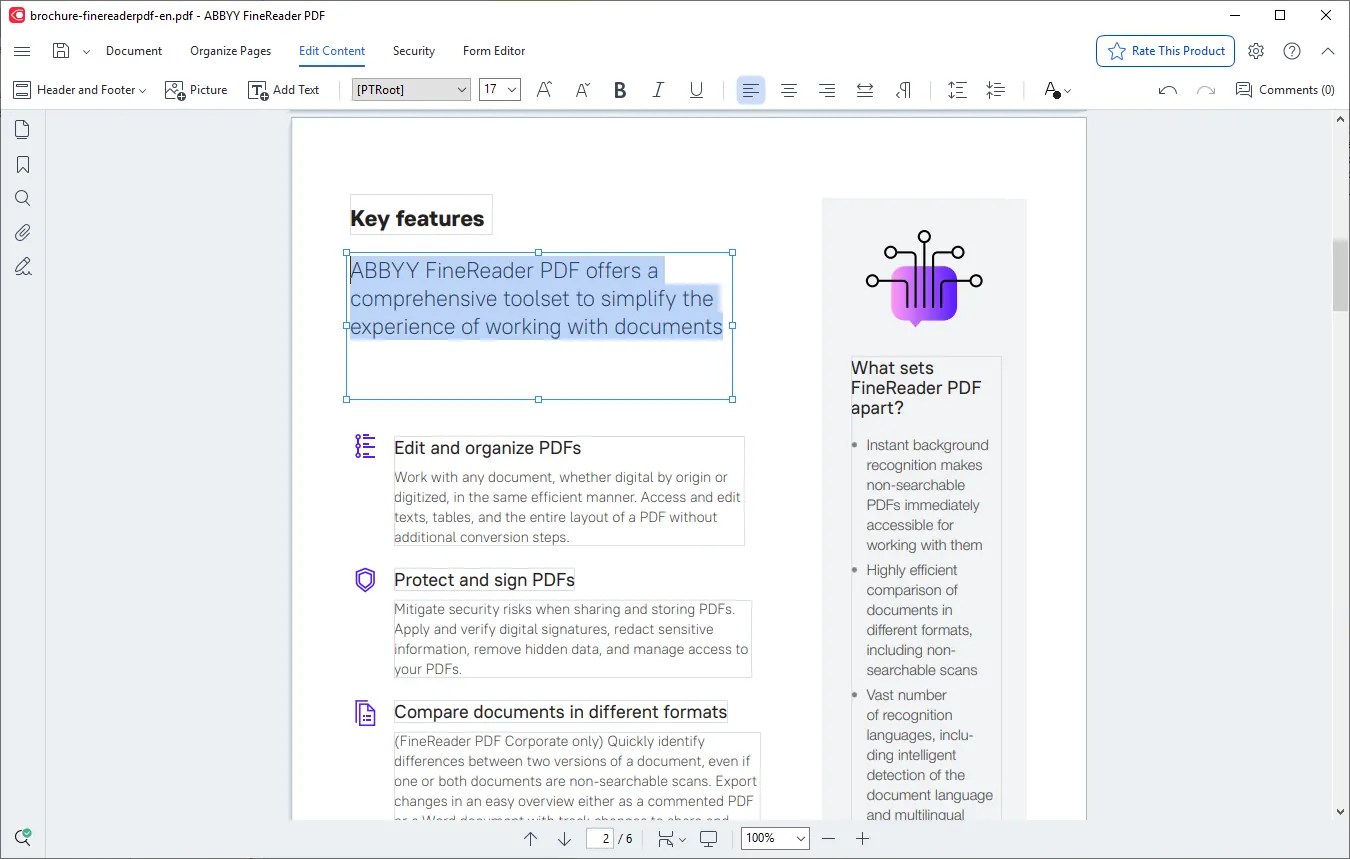
Edit almost like a Word document
Rewrite whole paragraphs, change the content of tables, or rearrange the page layout.
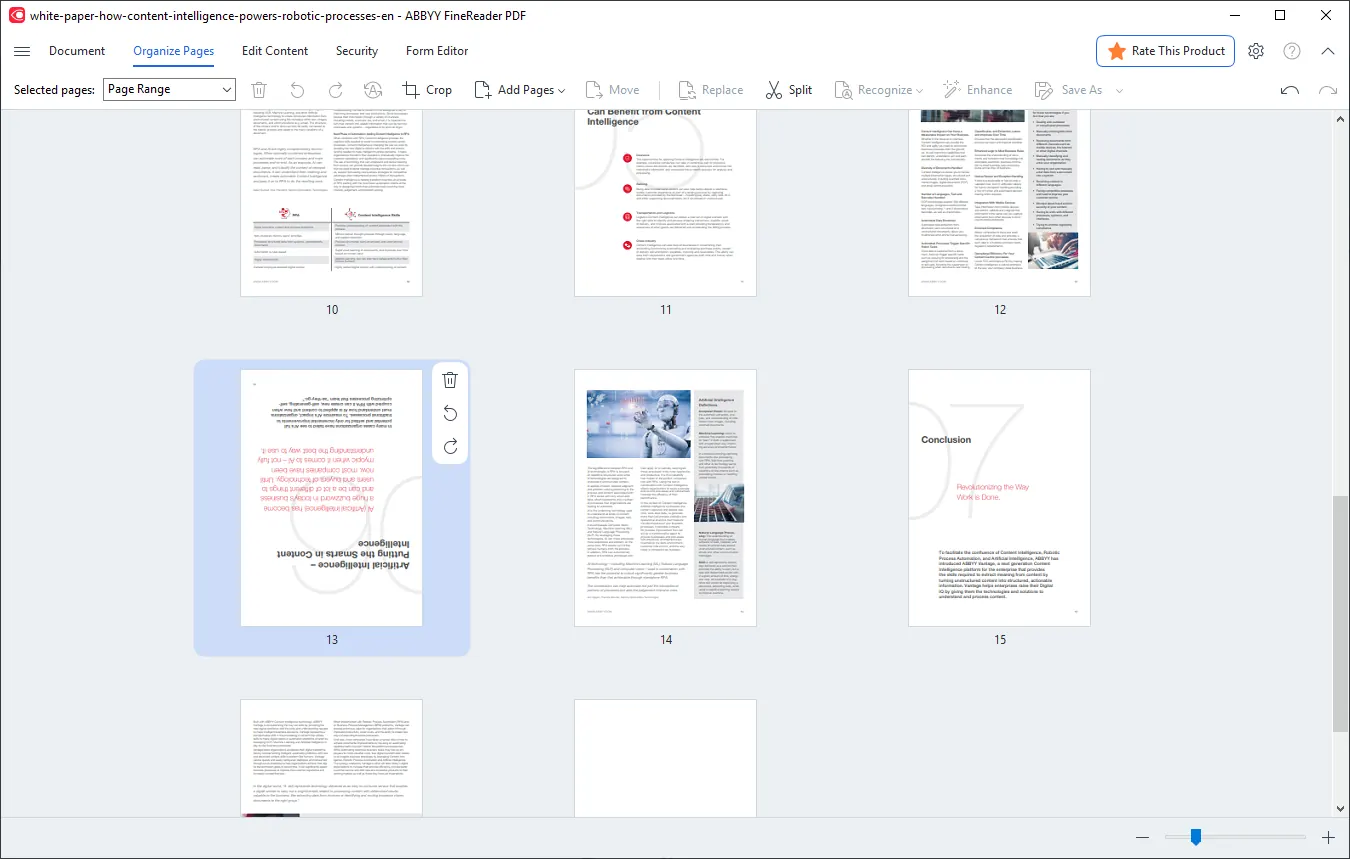
Organise pages, Bates numbering and stamps
Merge and rearrange pages, add Bates numbering and stamps.
Conversion and OCR
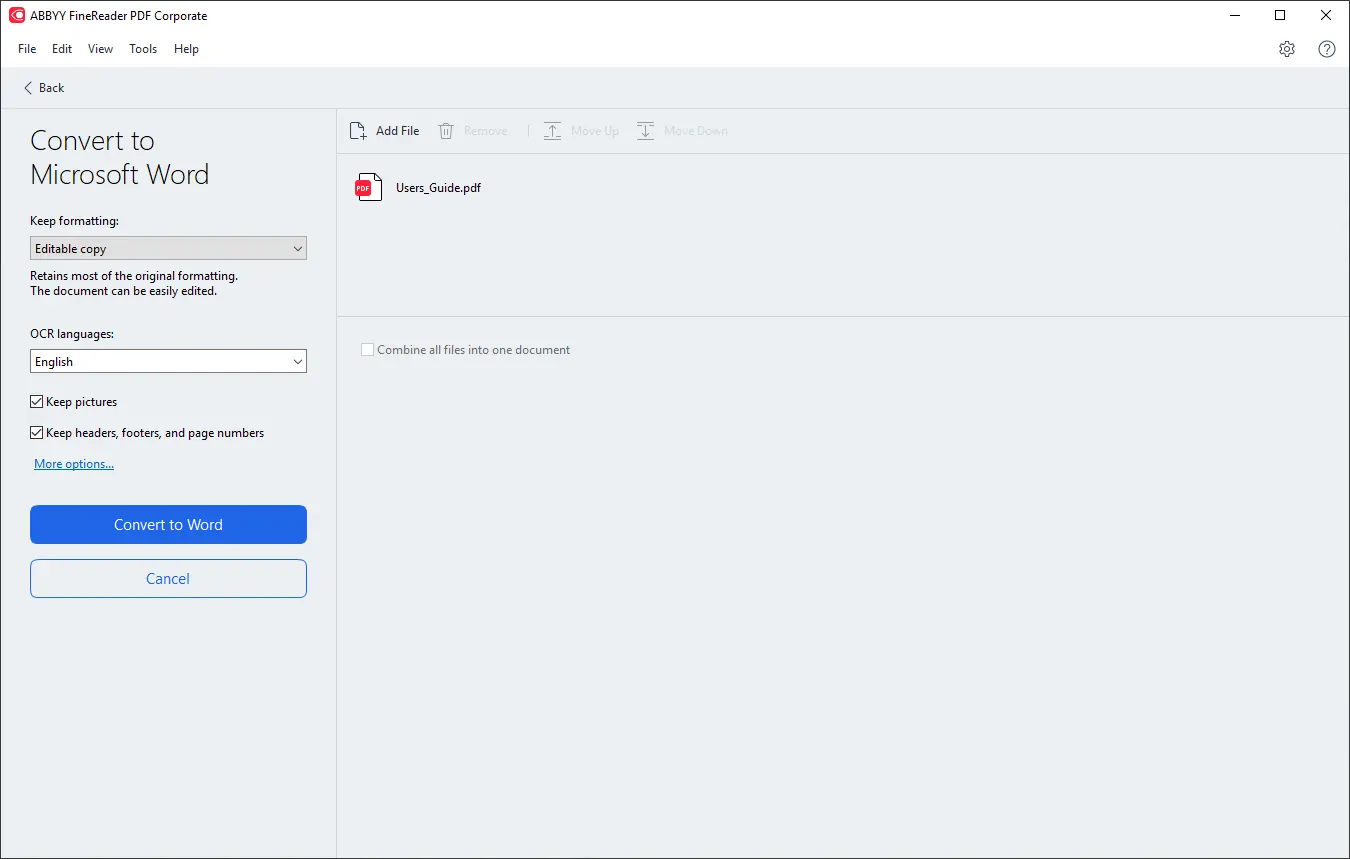
Convert PDFs into Word documents
Turn a PDF into a Microsoft Word file, retaining most of the original formatting.
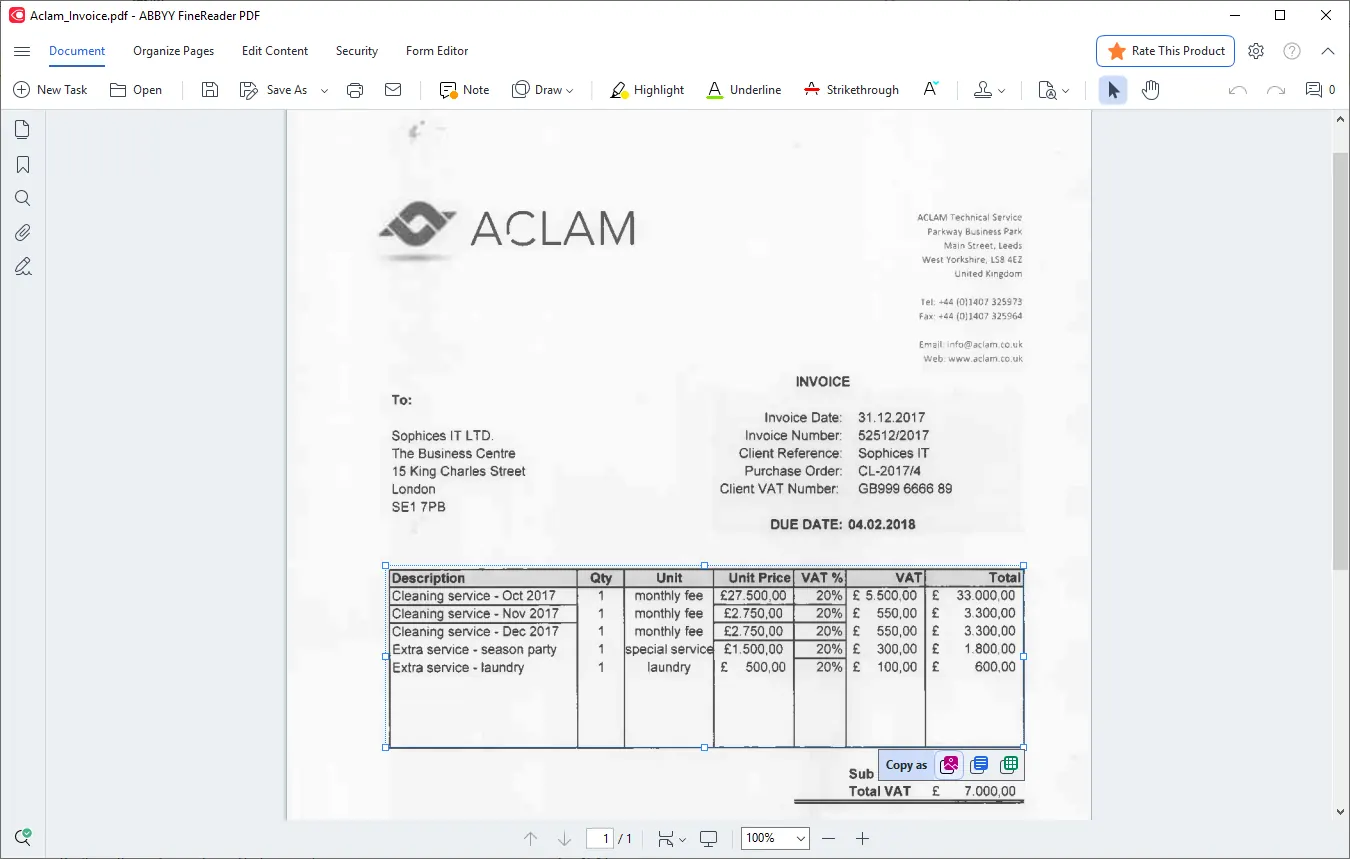
Extract text and tables
Pull text and tables out of any PDF with a single click.
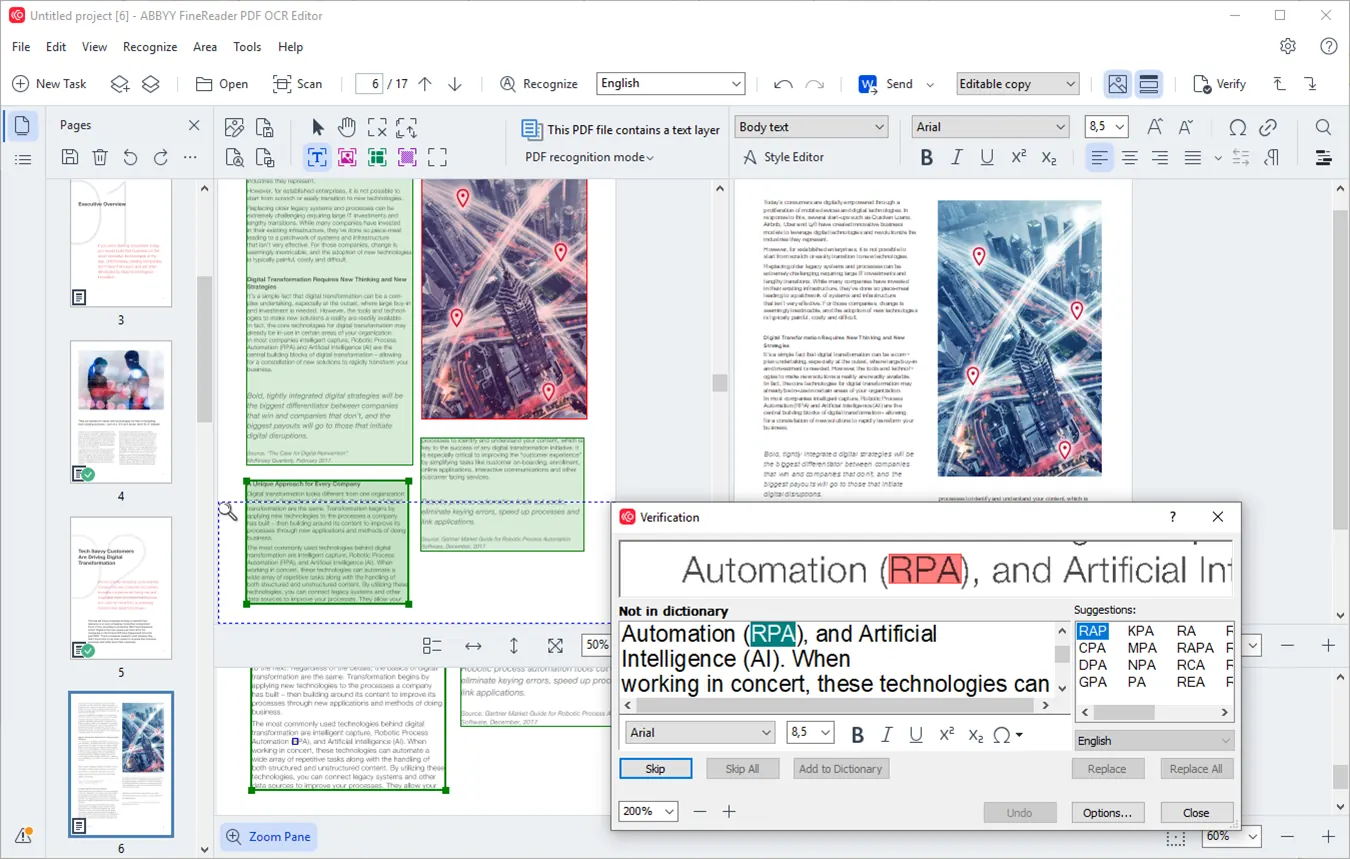
Advanced conversion and OCR checking
Correct recognition areas, check the OCR results and improve the document’s visual quality.
Collaboration and forms
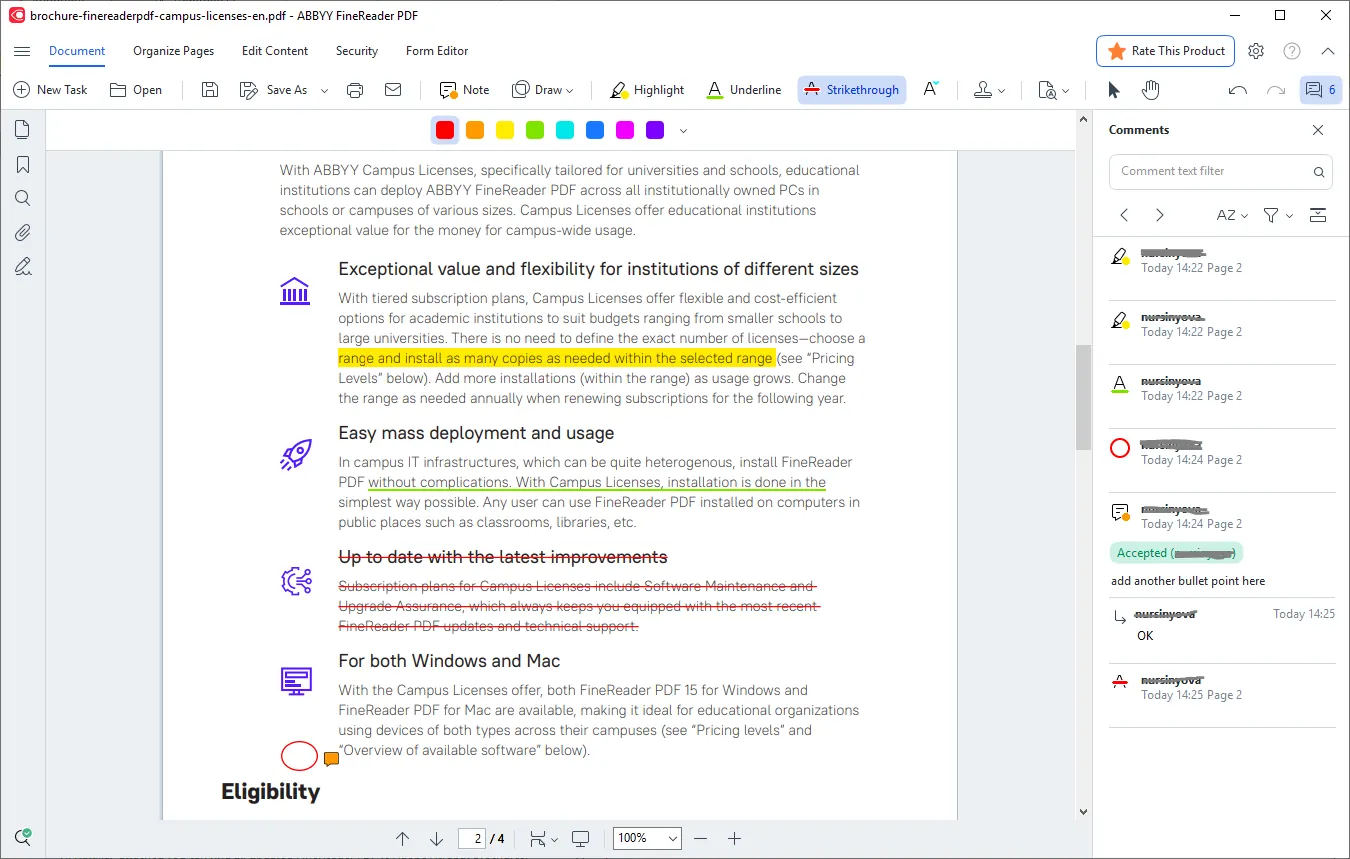
Comments, notes and mark-up
Work with colleagues: comment, annotate and mark up passages inside the document.
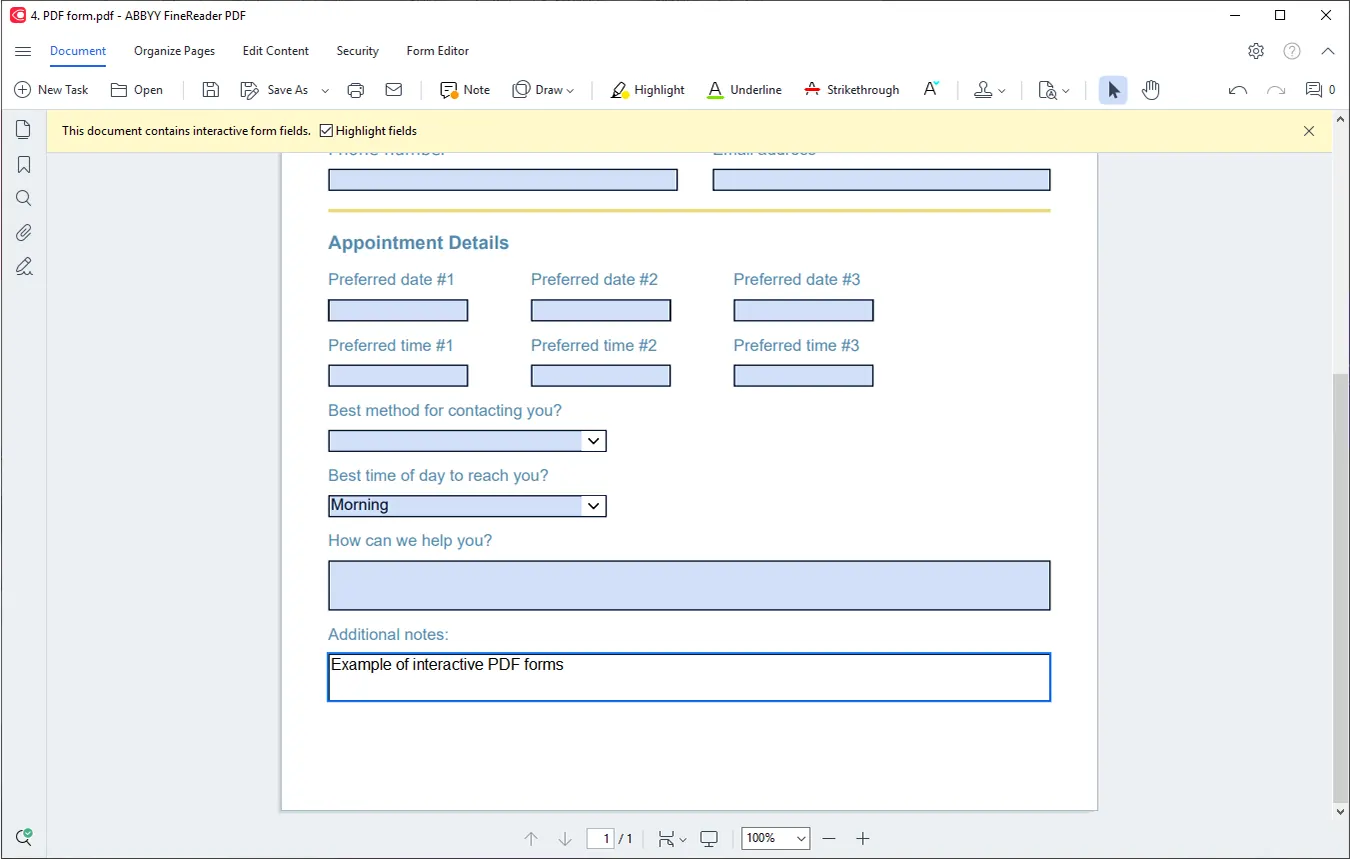
Fill in interactive PDF forms
Complete fields in interactive PDF forms directly on screen.
Security, comparison and automation
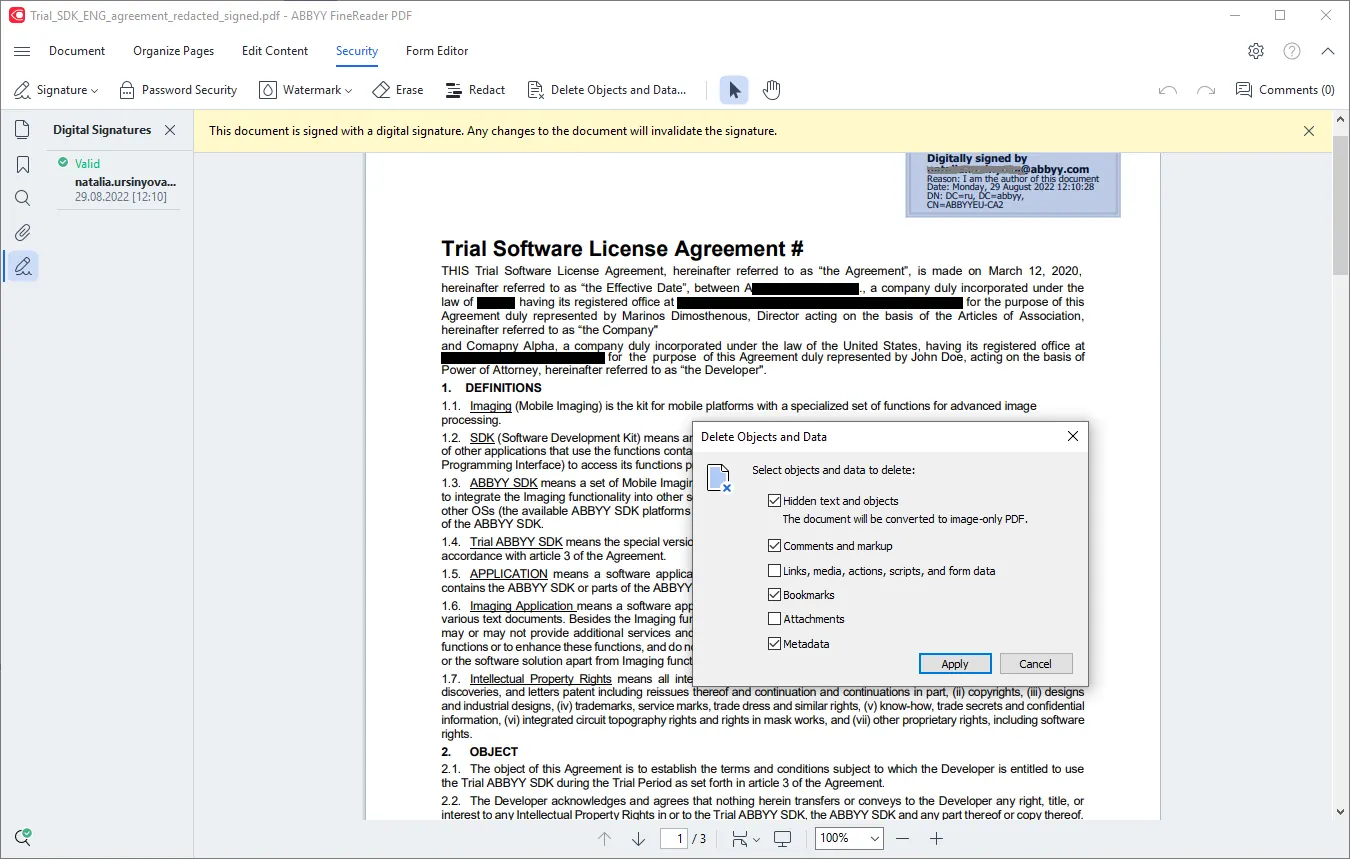
Protect and sign digitally
Delete metadata, permanently redact sensitive information, and add passwords or digital signatures.
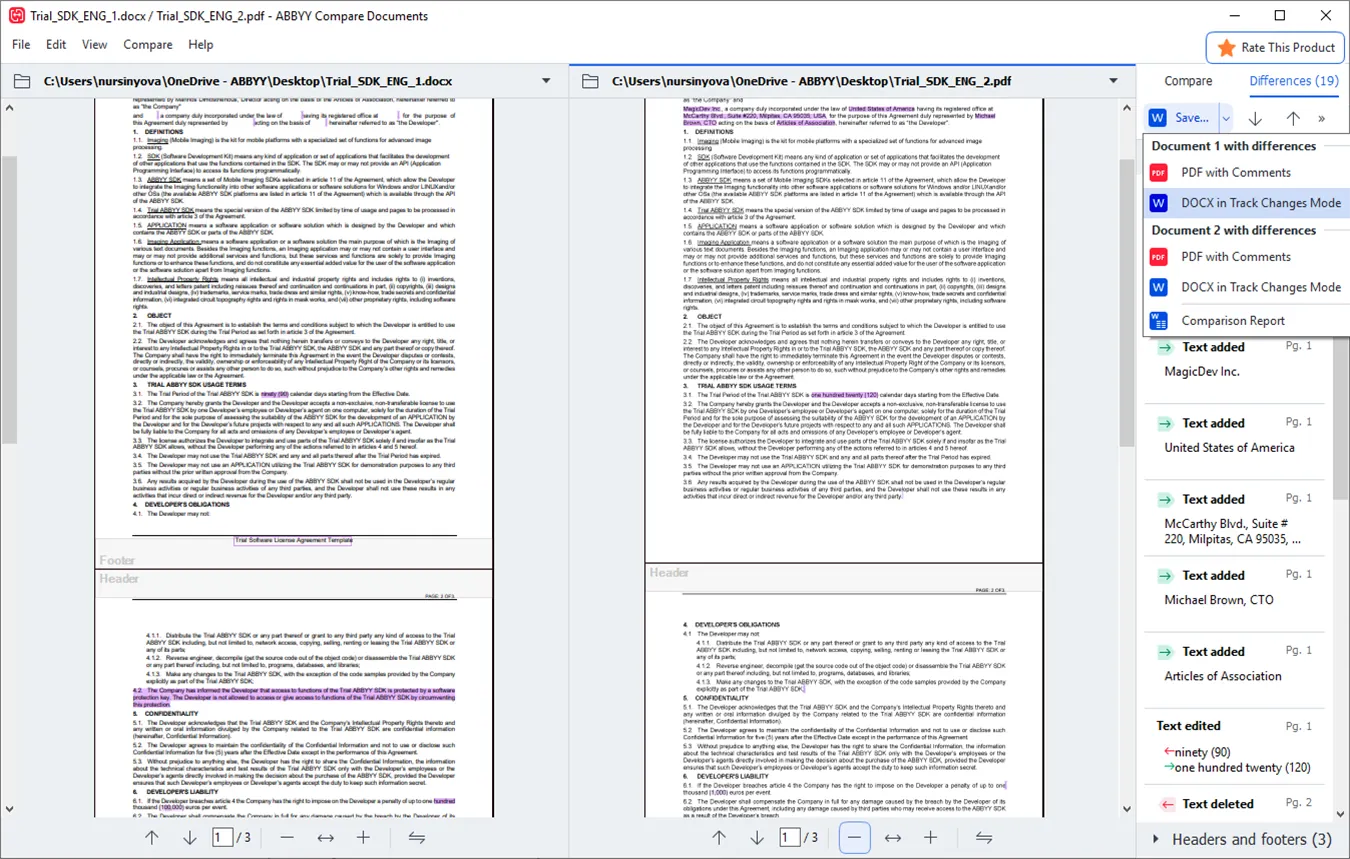
Compare document versions
CorporateQuickly identify the differences between two versions of the same document, even across different file formats.
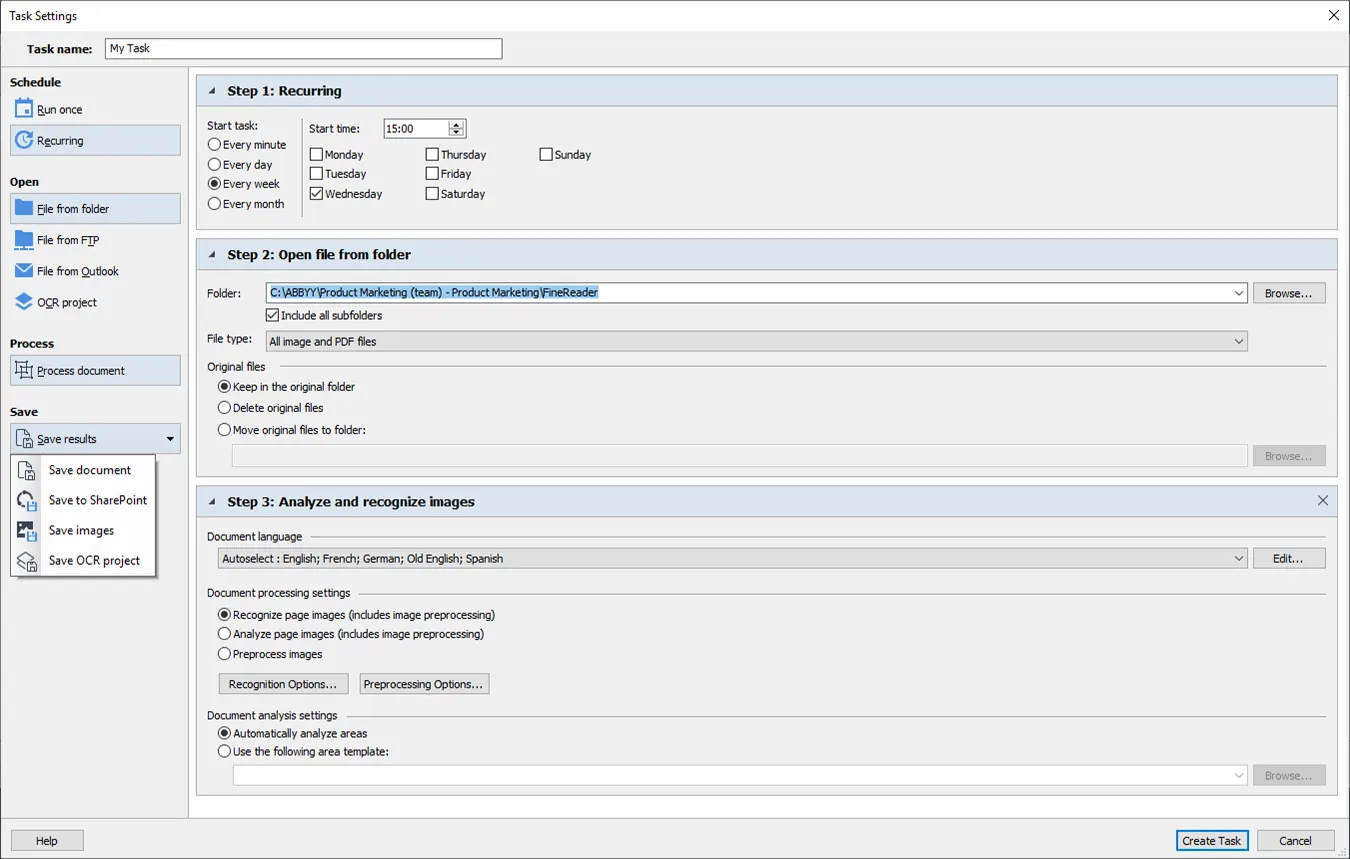
Automate with Hot Folder
CorporateSchedule recurring conversion and recognition tasks against folders that are watched automatically.
Benefits
Why organisations choose it
Optimised document processes
Digitize, retrieve, edit, protect and share documents of every kind, in one workflow.
More out of your PDFs
Edit digital and scanned PDFs with genuine ease: correct whole sentences and paragraphs, or adjust the layout.
A digitized document workflow
Bring paper documents into the digital workplace with AI-based OCR technology.
Predictable cost
Choose a one-year or three-year subscription, whichever suits your planning.
One tool for everyone
A single PDF solution across the organisation, so everyone collaborates on the same files.
Simple licence management
Less load on IT, with automated deployment and straightforward licence management.
Technology
AI doing the work underneath
FineReader PDF uses purpose-built AI at every step of processing a document: from image enhancement and object detection through to text recognition (OCR).
Underneath sit tuned algorithms, generative AI and neural-network architectures. ABBYY publishes the tuned algorithms openly, in its NeoML library.
FineReader PDF in numbers
- 32
- years on the market
- 10M
- users worldwide
- 198
- recognition languages
- 4.7/5
- average product rating
- 200
- corporate users
What version 16 brought to Windows
See what changed in the current Windows release, and what it means in practice.
Editions
Standard or Corporate?
Both editions come as a single-user licence, on a one-year or three-year subscription. Pricing is quoted case by case. Ask for an offer.
FineReader PDF 16 Standard
For people working with PDFs and scans every day.
1 user licence · 1- or 3-year subscription
- Included: Editing, protection and teamwork on PDFs
- Included: Create and convert PDFs
- Included: Turn paper and scans into digital files with OCR
- Not included: Automate digitization and conversion routines (Hot Folder)*
- Not included: Cross-format document comparison
FineReader PDF 16 Corporate
Everything in Standard, plus document comparison and Hot Folder automation.
1 user licence · 1- or 3-year subscription
- Included: Editing, protection and teamwork on PDFs
- Included: Create and convert PDFs
- Included: Turn paper and scans into digital files with OCR
- Included: Automate digitization and conversion routines (Hot Folder)*Up to 5,000 pages a month on 2 cores
- Included: Cross-format document comparison
The page ceiling counts only what goes through Hot Folder automatically, and the counter starts again after 30 days.
Working on a Mac?
There is a macOS edition too, with a narrower feature set. See exactly where it differs from the Windows one.
By sector
Where it is used
A document management tool accurate enough to handle the file at every stage of the legal process, from paper through to PDF.
Educators keep research materials centralised and distribute information digitally to students and colleagues.
A reliable solution for creating, converting and collaborating on documents, and for preparing them for archiving.
User experiences
What people who use it say
Millions of customers worldwide rely on ABBYY FineReader PDF for Windows for their everyday document work.
Recognition from software review platforms






Want FineReader PDF for your team?
Tell us how many licences you need and which edition you want, Standard or Corporate, and we will send you an offer.